Google Domains' Turkey region is a route some people use to register a domain at a lower price, but the process has a few timing and DNS details that are easy to miss.
Before you commit
If the domain will be used for ICP filing or moved to a registrar in mainland China, plan for a 60-day wait. You can transfer it out after that window. To start the transfer-out, go to Manage -> Registration settings -> Transfer out. The registration period must not exceed nine years, and the domain lock must be turned off.
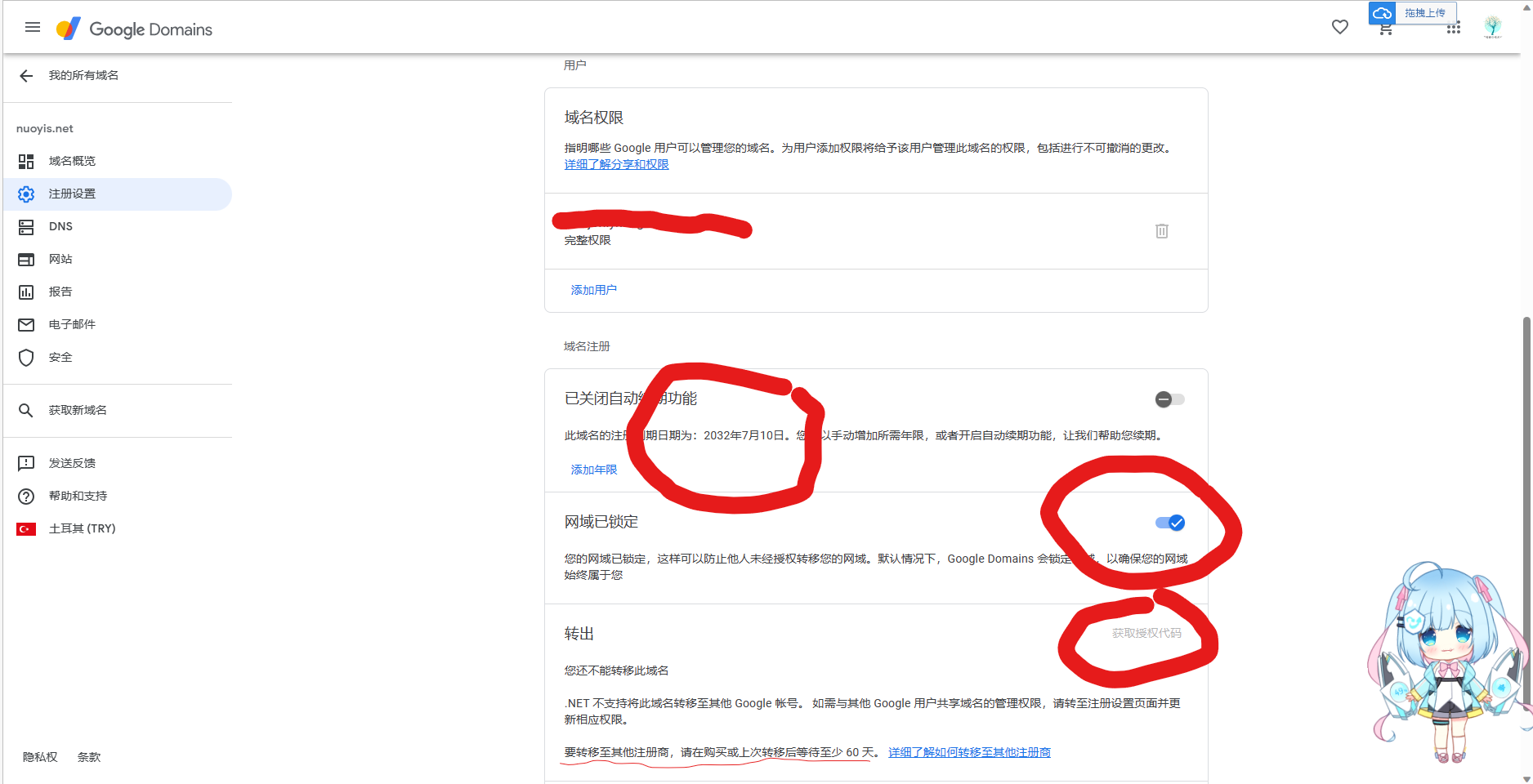
During those first 60 days, you can still point the domain to a domestic DNS provider for resolution. Doing that early can make the later move to a domestic registrar smoother.
It is also worth checking whether the domain has a problematic site history. A cheap domain may have been registered for several years, but if it was previously used for black-hat sites, Baidu may treat it poorly or penalize it.
Registration walkthrough
Start with a Google account, a Mastercard debit or credit card, and the DNS records you plan to use at a domestic provider. Set up the DNS side in advance so you can switch after registration.
Open https://domains.google.com and confirm that the region is Turkey. Then click to get a new domain. If you are hunting for a four-letter domain, you can search with Alibaba Cloud's advanced bulk domain registration tool, then check the domain's site history through a Baidu search or a site-history lookup service to see whether it has been involved in black-industry activity.
The registration price in the Turkey region is shown below:
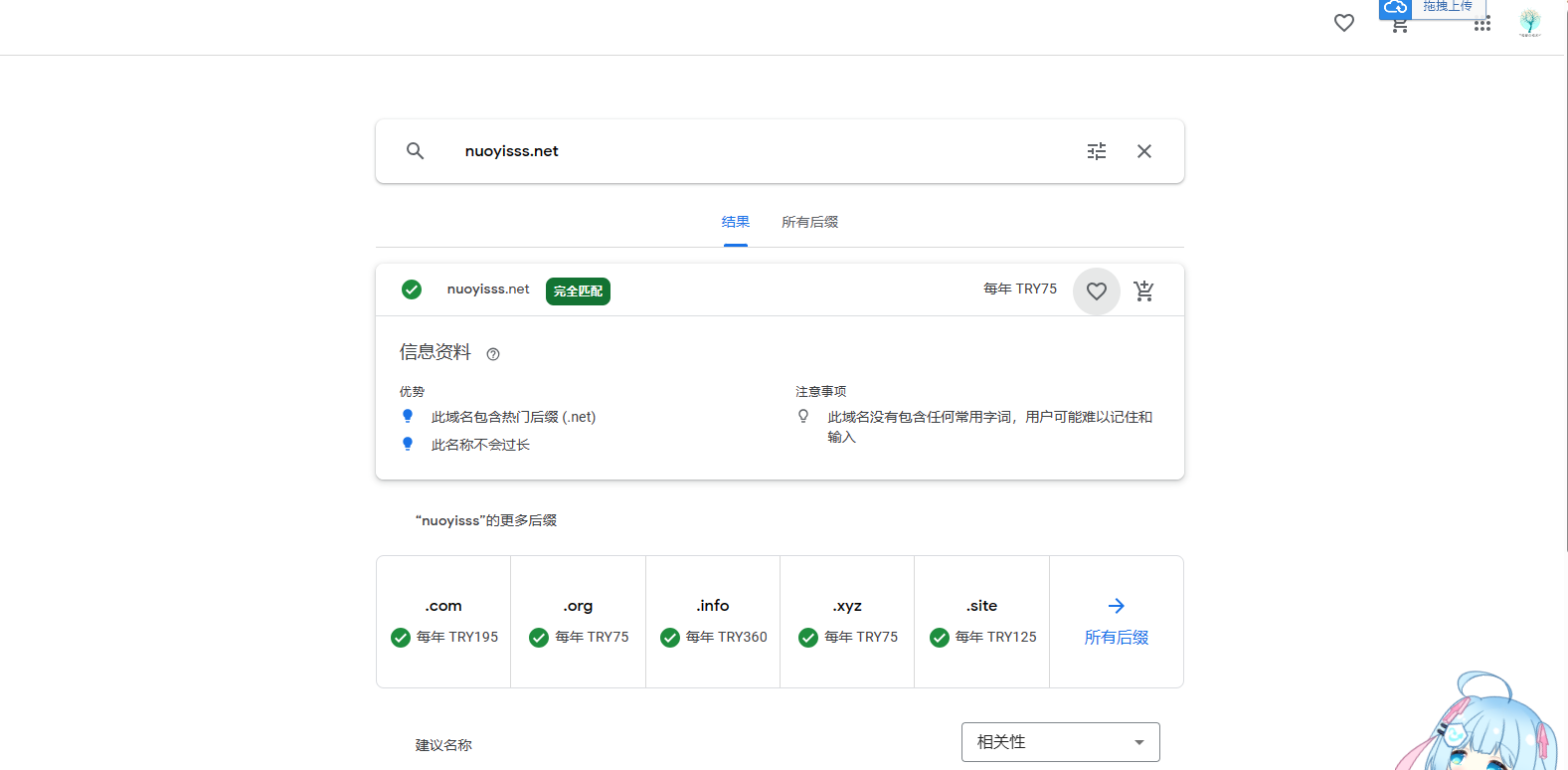
Once you find a domain you like, add it to the cart, fill in the Whois information truthfully, and decide whether to turn off renewal. Then bind the Mastercard you prepared. The card may be charged slightly more than the listed amount to stabilize the exchange rate, so keep about one extra US dollar available.
After registration, if you want to move DNS to a domestic provider, go to Manage -> DNS -> Custom name servers -> Manage name servers, fill in the name servers, and click the DNS switch notice at the top.

For Alibaba Cloud, the DNS addresses are:
<table> <thead> <tr> <th>1 2</th>
<th>ns1.alidns.com ns2.alidns.com</th>
</tr>
</thead>
<tbody>
<tr>
<td></td>
<td></td>
</tr>
</tbody>
</table>
Add them at https://dns.console.aliyun.com:
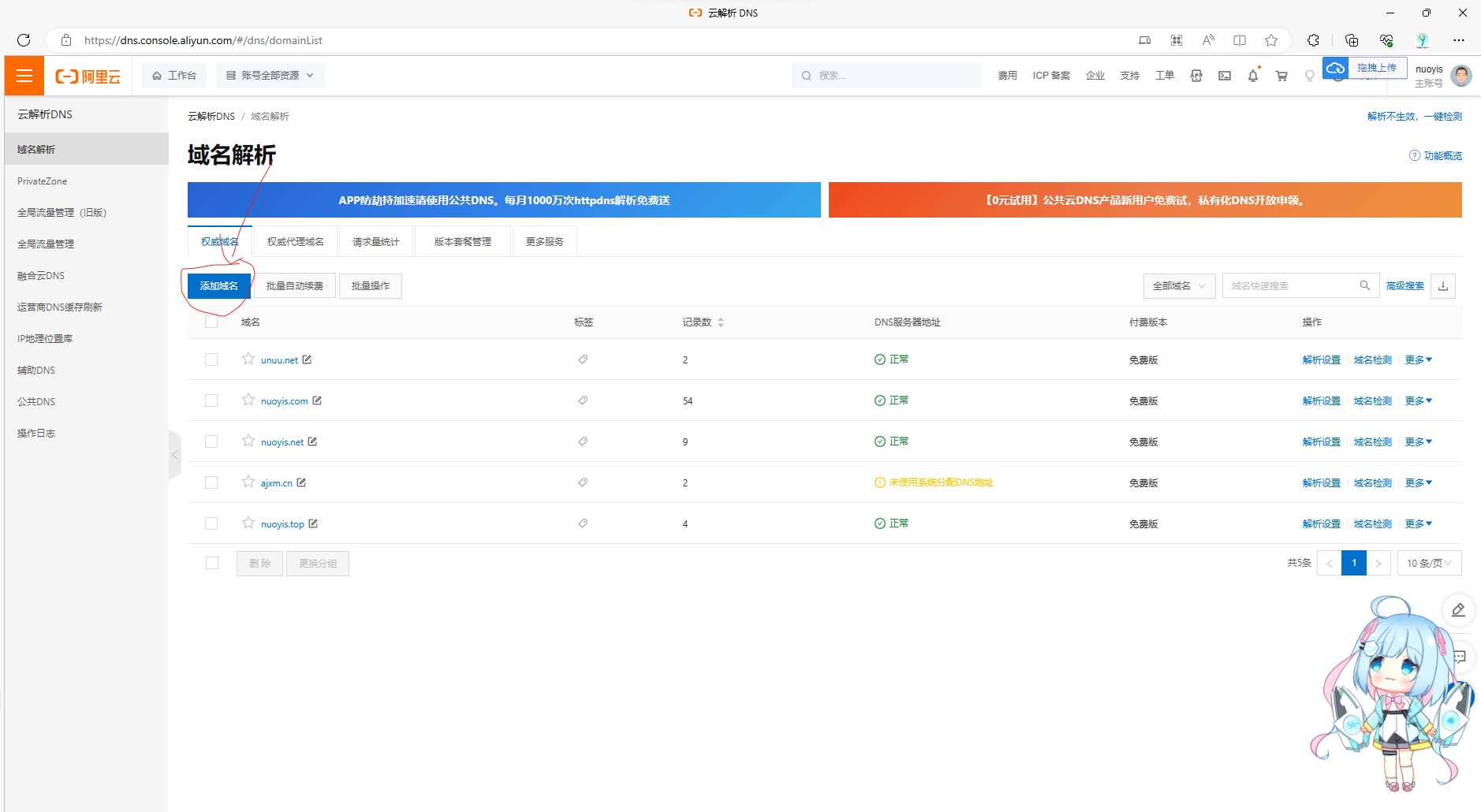
Enter the domain, confirm, and wait for resolution to take effect.
Transferring an existing domain in
The transfer process is similar to registration. Ask your current registrar for the transfer code, then click Transfer -> enter the domain name -> enter the transfer code -> continue. If Whois details are required, fill them in accurately, then pay to complete the transfer.