Inside a Java NIO Buffer: Four Values That Control Every Read and Write
A Java NIO buffer is often described as a container for data, but its behavior becomes much easier to follow when you look at the four values it maintains: capacity, limit, position, and mark. Together they decide where a read or write starts, where it must stop, and whether an earlier location has been saved for later use.
capacity is the maximum amount of data the buffer can hold. It is fixed when the buffer is created. For a typed buffer such as DoubleBuffer, capacity is not the byte count of the internal byte[]; it is the maximum number of data items. A DoubleBuffer with capacity 100 can hold at most 100 double values. The buffer allocates its internal array according to that capacity at creation time, so the size cannot be changed afterward.
position is the current read or write location. Its meaning depends on the buffer mode. In write mode, a new buffer starts with position = 0. Each put writes one value and moves position to the next writable slot. The highest writable position is limit - 1. Once position reaches limit, there is no room left to write. In read mode, position starts at 0 after a mode switch. Each get reads from position and advances it. When position reaches limit, there is no data left to read.
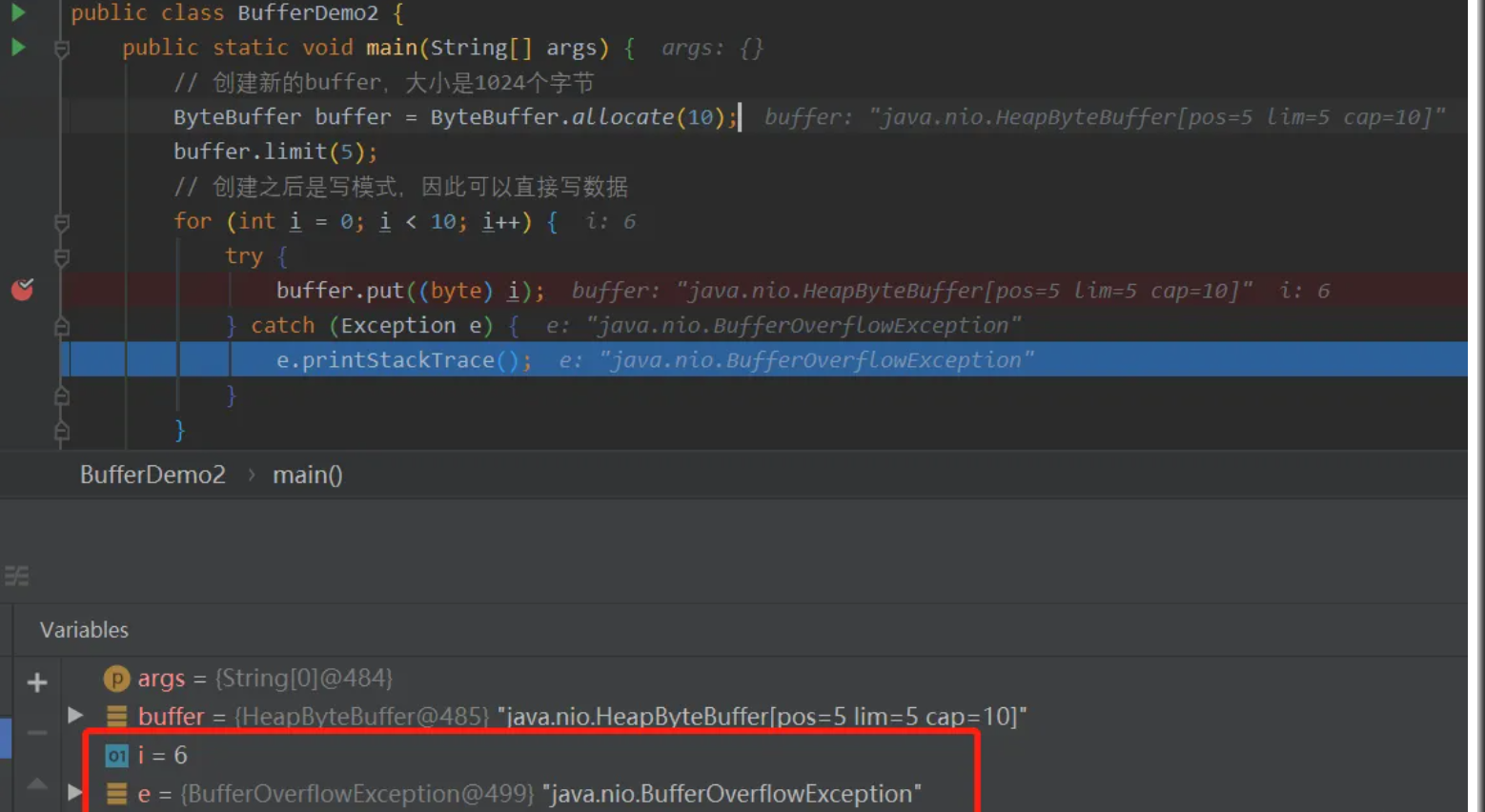
limit is the current boundary for reading or writing. In write mode it is the maximum amount of data that may be written. For a newly created buffer it equals capacity, so the buffer can be filled completely. In read mode it is the maximum amount of data that may be read. Unlike capacity, limit can be changed. If a buffer created with capacity 10 has its limit changed to 5, it can accept at most five values; attempting to write a sixth value fails.
Position and limit work together. The valid range for reading or writing always lies between position and limit. That is why switching modes is not just a flag change; it also requires adjusting these two values.
mark is a saved position. Calling mark() stores the current position in the mark property, and calling reset() restores position from that saved value. This is useful when you need to process part of the buffer, then return to an earlier point and read again. It is not needed in every buffer operation. A flip() clears the old mark, because a mark saved in write mode would not make sense after the buffer has been rearranged for reading.
Starting in write mode
A newly allocated buffer is in write mode. With ByteBuffer.allocate(10), for example, position is 0 and limit is 10. Capacity is also 10. The buffer can accept ten writes. Each write advances position by one. If you try to write an eleventh value, the operation fails.
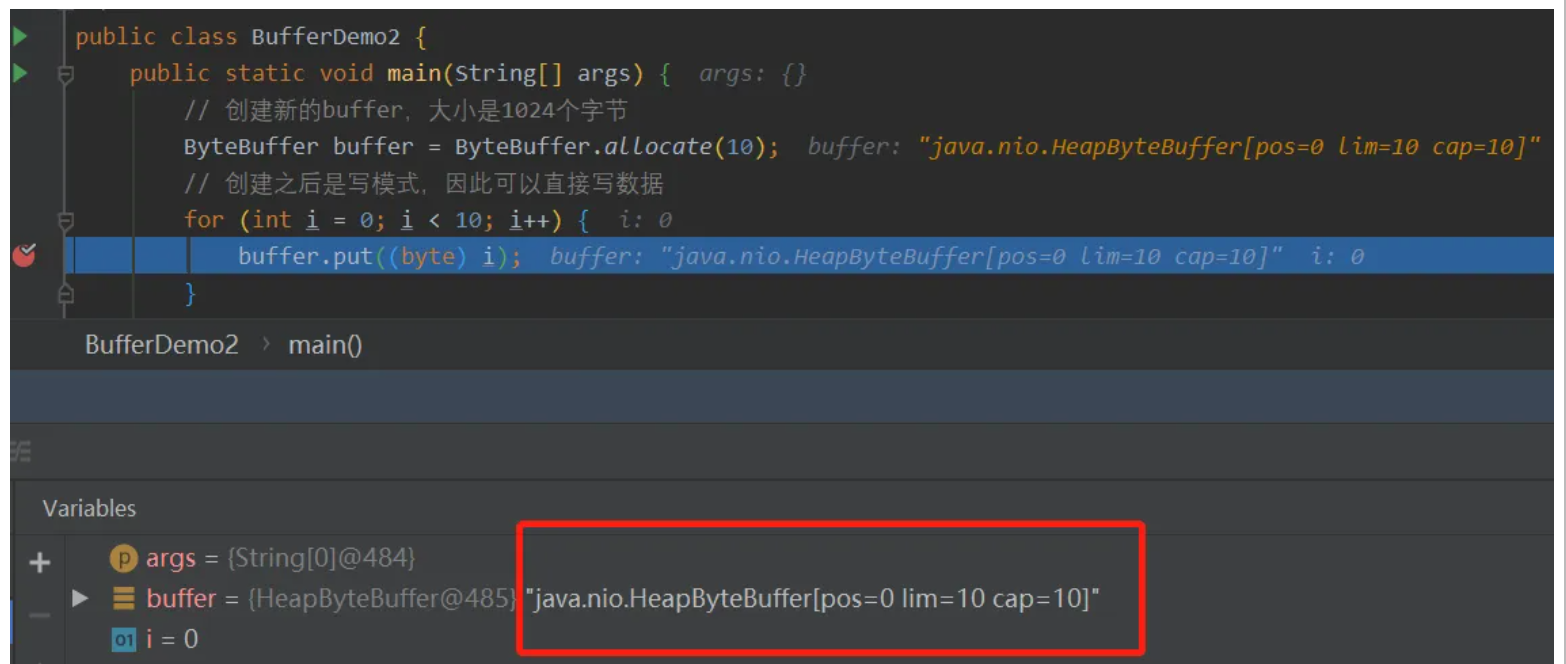
Because limit is adjustable, you can make the writable region smaller before filling the buffer. If limit is set to 5, only five values fit. The sixth write is out of bounds.
Switching from writing to reading: flip()
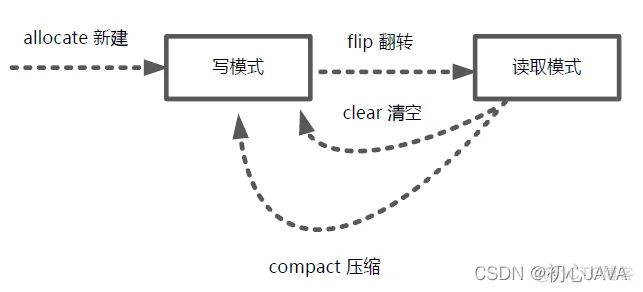
After writing, the buffer is still in write mode. Reading directly from it is not allowed until the mode is switched. flip() performs that switch.
Suppose a buffer has capacity 10 and limit 8. You write five values, so position becomes 5. Before the flip, limit is 8 and position is 5. After flip(), limit becomes 5 and position becomes 0. The buffer is now in read mode. It will read only the five values that were actually written, from position 0 up to limit 5. The old mark is discarded.
So flip() makes three adjustments:
- limit is set to the position value from write mode, marking the end of the written data;
- position is reset to 0, so reading starts at the beginning;
- the old mark is cleared, since it belonged to the previous mode.
Switching back from reading to writing
Once the data has been read, the buffer cannot immediately accept new writes. It is still in read mode. To return to write mode, call clear() or compact(). Both move the buffer back to a writable state.
The key methods in practice
allocate()
You obtain a buffer through a subclass's allocate() method rather than by calling a constructor directly. Buffer itself is abstract, so concrete types such as IntBuffer, DoubleBuffer, and ByteBuffer are used. For example, IntBuffer.allocate(20) creates an IntBuffer with capacity 20 and allocates the corresponding internal memory. The new buffer is in write mode: position is 0, limit is 20, and capacity is 20.
put()
put() writes one value into the buffer. The value's type must match the buffer type. If you write five integers into the IntBuffer created above, position becomes 5. It now points to the sixth writable slot. Limit and capacity remain unchanged.
flip()
After writing, call flip() before reading. Using the same example, after five writes, position is 5 and limit is 20. After flip(), limit becomes 5 and position becomes 0. The buffer is now in read mode and can read exactly the five values that were written.
get()
get() reads one value at a time from the current position. Each read advances position. Limit does not change during reading. When position equals limit, all available data has been read. At that point another read will throw BufferUnderflowException. To write again, first call clear() or compact().
rewind()
If you want to read the same data again, call rewind(). It resets position to 0, keeps limit unchanged, and clears the mark. Unlike flip(), it does not change limit. After rewinding, the same range of data can be read from the beginning.
mark() and reset()
mark() saves the current position in the mark property. Later, reset() restores position from that saved value. For example, while reading, you might mark at the third element, which stores position 2. After reading further, calling reset() sets position back to 2, allowing you to read again from that point. The method mark() and the property mark share a name but are different things: one is an operation, the other is stored state.
clear()
clear() switches a buffer from read mode back to write mode. It sets position to 0 and limit to capacity, making the whole buffer writable again.
A typical sequence
The usual flow with a Java NIO buffer is straightforward:
- Call
allocate()on a concrete subclass to create a buffer and reserve its memory. - Use
put()to write data into the buffer. - Call
flip()to switch from write mode to read mode before reading. - Use
get()to read data from the buffer. - After reading, call
clear()orcompact()to return to write mode so the buffer can be used again.
Once these state changes are clear, the read and write behavior of Java NIO buffers becomes much less mysterious than the four properties initially suggest.