If you’re viewing this on a desktop, you can see the result in the top-right corner of the page.
Over the past couple of weekends, I’ve been doing quite a bit of work on my Hexo blog setup. I’ll split those changes across a few posts; this one focuses on the hexo-generator-search plugin, which can be used to add on-site search to a Hexo blog.
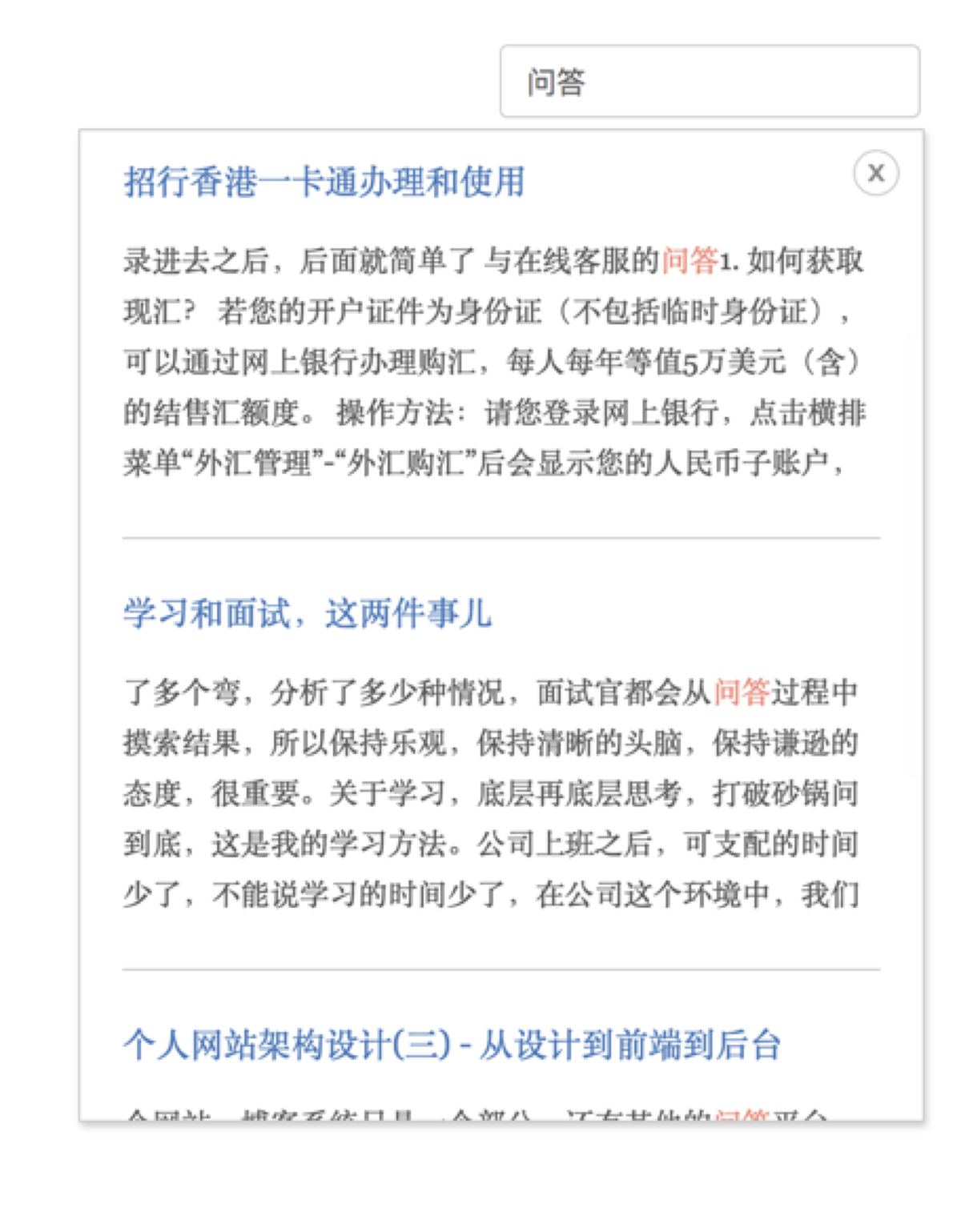
The search UI in the screenshot above is something I wrote myself, but it relies on the XML file generated by the plugin. Here’s a quick look at how to install and use it.
Installation
There are two steps.
First, install the plugin locally with npm:
<table> <thead> <tr> <th>npm install hexo-generator-search --save</th>
</tr>
</thead>
<tbody>
<tr>
<td></td>
</tr>
</tbody>
</table>
Then add the global configuration in _config.yml:
search: path: search.xml field: post</th>
</tr>
</thead>
<tbody>
<tr>
<td></td>
</tr>
</tbody>
</table>
A couple of options matter here:
path: the output path of the generated file. With the configuration above, the file will be available at/search.xmlfield: defines the scope to be indexed globally. Available values arepost,page, andall
Using it
Installing the plugin is only part of the job. What this plugin actually does is package the content from the configured search scope into search.xml. Everything else still needs to be implemented by you.
I put together a simple example—the same approach this blog is using right now. If you want to save some time, you can just reuse it:
- hexo-search-plugin-snippets
The code is fairly rough. I originally grabbed it from elsewhere online and only adjusted some small details. Once the initialization script has been included, you can call it like this:
<table> <thead> <tr> <th>if ($('.local-search').size() && !isMobile.any()) { $.getScript('path/to/search.js', function() { searchFunc("/search.xml", 'local-search-input', 'local-search-result'); }); }</th>
</tr>
</thead>
<tbody>
<tr>
<td></td>
</tr>
</tbody>
</table>
As for the finer points, you’ll have to dig into them yourself.