I often need to sample colors from the screen. My usual setup is a high-DPI laptop running at 125% scaling next to a Dell 1920×1080 monitor at 100%. That combination has caused trouble with most color pickers I have tried. Some ignore high-DPI scaling, so the sampled color or magnifier does not match what I am seeing. Others handle high-DPI on a single display but fail when I move between two screens with different scaling. I went through quite a few tools before settling on Just Color Picker.
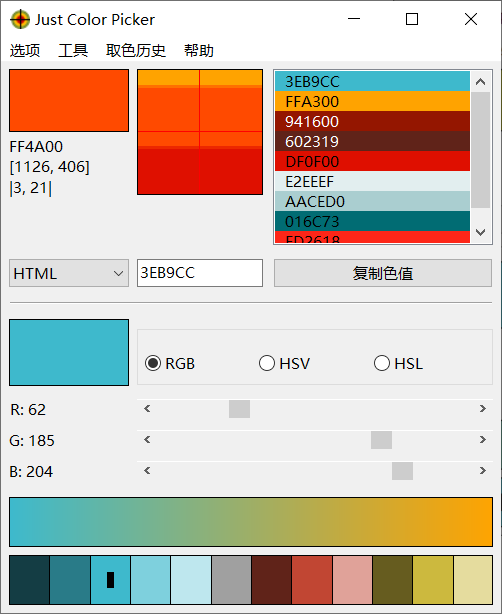
With it, identifying colors, saving and editing them, and putting them together into attractive color combinations is straightforward.
What I find most useful:
- It supports several color code formats: HTML, RGB, HEX, HSB/HSV, HSL, HWB, CMY, CMYK, and Delphi.
- The magnifier offers 3×, 9×, and 15× zoom, and the mouse cursor can be moved with the keyboard for more precise selection.
- A gradient function shows a range of intermediate shades between your two latest choices or selected colors, which is handy when you need in-between colors.
- It suggests harmonious color schemes based on a selected color, giving you something to work from.
- Picked colors can be stored and compared.
- It works with high-DPI screens and multiple monitors.
- It runs on both Windows and Mac.
You can download it from the official Just Color Picker site. The software is free and portable, so no installation is required.
One related note: my screenshot tool, FastStone Capture, also has a built-in screen color picker. In version 8.0 there was a bug where, after switching pages and picking a color again, it still showed the previous page. I recently downloaded version 9.8 and found that this has been fixed. Its picker is not as full-featured as Just Color Picker, but for simple color sampling it is still enough.