Suppose you are the network admin at a small or midsize company. An employee needs remote access. The boss does not want to buy a commercial VPN suite, and the employee needs it now—not next quarter. What do you do?
The short answer is that every option that looks suitable is only good enough. If you relax the requirements a little, a few candidates are workable: OpenConnect, OpenVPN, IKEv2-MSCHAPv2, and WireGuard. The trade-offs are below.
This is partly a rant, but it is a rant with a shortlist. If you run a small business network, you probably have your own version of this story.
A few conventions: TCP 80 means TCP port 80, UDP 80 means UDP port 80, and IP 50 means a bare IP protocol with protocol number 50.
What the request actually means
Large companies usually do not have this problem. They call a VPN vendor, or they have an internal IT team that can handle the technical and compliance side: network security grading, secure access, audits, and so on. Very small companies may not need it at all—some have moved everything to cloud office suites, and some even run their OA on DingTalk. The middle is stuck. They are big enough to need VPN, for example an MCN with storage-server resources that should not be exposed directly to the internet and are not convenient to upload to a cloud drive, but they may not be able to pay for a full commercial VPN suite.
There is also a human problem. A leader often just wants a workaround, quickly, and does not care what happens after the connection is up. Do not expect a small-business owner who only knows how to type IP addresses inside the LAN to understand security. The instruction is often: get it done, or someone else will. That does not mean you should ignore security. It means you should be clear about responsibility: you can secure the VPN, but the boss chose the no-budget path. Remind him what that implies.
For sizing, take a practical number: about 80 concurrent sessions. Not every employee travels, and a small vendor cannot handle many sessions anyway. Eighty is a typical middle ground. It is enough that hand-editing config slots is unpleasant, or copying and pasting 80 passwords and configs is unpleasant, but it still fits inside a /24 with plenty of room for expansion. Even twice that number could fit.
Another constraint: employees are not IT people. They may be streamers, designers, writers, photographers, copywriters, or an accountant logging in to do the books. They know an account name and a password, maybe a URL. They do not know what a certificate is, what a routing table is, or what MSCHAPv2 means. So the VPN should require as little configuration as possible. Put the professional work on the professional side. Mobile support also matters; if a protocol cannot work on phones, it drops down the list.
The commercial option
EasyConnect from Sangfor is one example. Cisco AnyConnect is another. If you are part of a university, you may have used Pulse Secure. These closed commercial products are optimized for enterprise use: zero-trust access, auditing, client simplification. The user installs the client, enters a link or an identification code, logs in, and connects. The client handles encryption settings, negotiation settings, network settings, and the rest. Vendors also bundle extra services such as zero-trust gateways, egress gateways, SD-WAN gateways, resource-access gateways—the industry loves new names—but those are not the point here.
The problem is licensing. These products are feature-rich, and they can cut you on the license fee. For 80 sessions, the exact Sangfor price is not public here, but suppose it were 10 yuan per session. That would be 800 yuan, and that does not include the VPN gateway. You look at the boss. The boss says there is no money and hands the problem back to you. Many commercial VPN gateways also arrive as a physical appliance, or at least a complete system image that is not generally supplied to ordinary enterprises. That is not always convenient when you need a fast deployment.
Protocol by protocol
I will not discuss GRE, IPIP, or VXLAN here. They are not meant for ordinary users, and they are not encrypted. Unless you have a special need, there is no reason to deal with them.
PPTP
Conclusion: do not use PPTP. Do not use it unless the device supports nothing else.
PPTP, the Point-to-Point Tunneling Protocol, is one of the oldest VPN protocols. It negotiates the link over TCP 1723 and carries the actual traffic over a modified IP 47 (GRE). You may remember using PPTP to get around network restrictions more than a decade ago, before 2012 or so. There were already services where you transferred money, received a PPTP username and password, typed the address and credentials into your computer, and connected. If you wanted to run your own PPTP server, you had to check whether your server supported tun. With OpenVZ containers everywhere, you sometimes had to open a ticket and ask the host to enable tun on the parent machine. Good times.
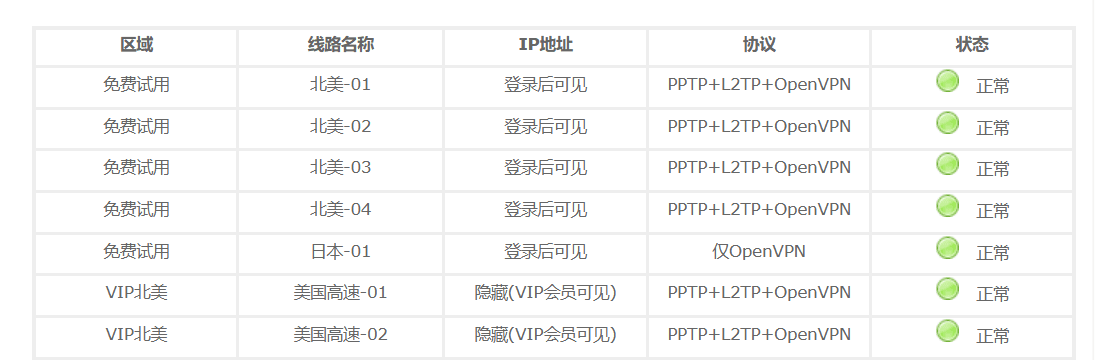 A screenshot that dates you if you recognize it.
PPTP has one advantage: username and password authentication, and simple setup. That is it. The disadvantages outweigh the advantages by a lot.
First, encryption. PPTP uses MPPE. When it appeared in 1999, it was not bad; some encryption is better than naked GRE. But MPPE uses 40-bit or 128-bit RC4, and that is weak against modern computing power. The protocol design also has flaws. The practical result is that simple tools can brute-force it. PPTP does not support PFS, perfect forward secrecy. If a key is exposed, past and future traffic can be decrypted.
Even if your company does not care about that—even if the only traffic is a novel read while slacking off—PPTP is still a bad choice today for a simpler reason: it cannot pass through NAT, strictly NAPT, unless PPTP ALG is enabled. That NAT could be the employee's home router, the router in a restaurant, a phone hotspot, or the ISP's CGNAT. PPTP depends on IP 47, which has no port number for NAPT. If the gateway does not have PPTP ALG, the NAT device drops the packets and the connection never comes up.
Devices are also dropping PPTP. iOS has not supported it for years. Android 12 removed PPTP from the system VPN protocols. Windows Server has announced it will drop inbound PPTP support, although outbound client support remains, especially because a lot of Windows 7 machines are still out there. The future is dark. Replace existing PPTP setups as soon as you can.
IPSec
Conclusion: I do not recommend IKEv1/IPSec for employee access.
Normally PPTP would be compared with L2TP, but IPSec comes first here for continuity. IPSec is a confusing term. Search online and you will find people saying IPSec is insecure, IPSec is secure, IPSec is unsuitable, IPSec is very suitable. You can find arguments that contradict themselves. Search for why IPSec is insecure and you may read that the NSA can break it, while IKEv2, also IPSec, is considered secure. It is a mess.
First, IPSec is not one protocol. It is a suite. What this section calls IPSec, and what many online discussions call insecure IPSec or insecure L2TP/IPSec, is IPSec with the original IKE, usually called IKEv1. IKEv1/IPSec. If someone writes bare IPSec with no qualifier, assume IKEv1 unless stated otherwise.
IPSec has several parts and modes. In short: IKE runs on UDP 500 for both v1 and v2 and handles negotiation and key exchange. After negotiation, traffic switches to AH (IP 51) or ESP (IP 50). If there is NAT in the path, which is common from home broadband, bare IP protocols cannot pass, so traffic switches to UDP 4500; this is NAT-T. If you build a VPN with IPSec in the path, open 500, 4500, IP protocol 51, and IP protocol 50.
Now, why not use it for employees? Here is the counterintuitive part: IPSec does not support username and password authentication. Real IKEv1/IPSec authentication is normally PSK, RSA certificates, or envelope authentication. IKEv1 does not support EAP. PSK is like a Wi-Fi password: distribute it securely, and everyone who knows it can authenticate. RSA uses certificates. Envelope authentication is similar with a different implementation. In every case, once authentication succeeds, the tunnel is up. There is no place to type a username and password. If the PSK or certificate leaks, and mobile users cannot be restricted by source IP, anyone with the secret can connect. The system does not know which user is legitimate.
You may have seen old Android clients asking for a username and password with IPSec. That is not plain IPSec. It is IPSec XAuth, also called Cisco IPSec on some devices. XAuth is a Cisco extension that adds authentication after the phase 1 SA, which still relies on PSK or RSA. It improves things, but Windows does not support it natively, and newer Android versions have dropped it. So it is out.
IKEv1/IPSec is not useless. It can be fine for fixed site-to-site links. That is why vendors selling SD-WAN or public VPN access may offer IPSec. But mobile employee access is not its strength. IKEv2 exists partly for that reason.
L2TP/IPsec
Conclusion: use L2TP/IPsec only as a lower-tier fallback.
L2TP was another old helper for getting around restrictions. In 2021 you could still dial an L2TP/IPsec connection to a server in the United States and get maybe 25 Mbps. It worked, but it was not fast.
When people say L2TP, they usually mean L2TP/IPsec, not unencrypted plain L2TP. L2TP over IKEv1/IPsec first builds an IKEv1/IPsec tunnel in transport mode, which is why L2TP profiles often carry a PSK or sometimes a certificate. Then L2TP performs authentication, and after that you get a Layer 2 tunnel. One warning: do not expose UDP 1701 when you build L2TP. Documentation says L2TP uses 1701, but that is plain unencrypted L2TP. Encrypted L2TP/IPsec only needs UDP 500 and UDP 4500.
L2TP supports username and password authentication, which is convenient for employees, and it can carry Layer 2 packets. But that is where the good news ends. Client support is declining. The protocol nesting makes it slower. Client implementations differ in ways that can affect security. Server configuration is annoying. On Windows, L2TP may require a registry change to enable NAT traversal. It is a fallback, but if the choice is PPTP versus L2TP/IPsec, choose L2TP/IPsec.
IKEv2/IPSec
Conclusion: better than L2TP, but not dramatically better.
IPSec is too flexible. Eventually clients agreed to support something relatively secure, and Android clients moved to IKEv2. Then the implementations diverged again, especially around IPv6.
IKEv2 is the upgrade to IKEv1. The ports stay the same: UDP 500 and UDP 4500. Negotiation is faster. It supports EAP, extended authentication, and MOBIKE, which helps mobile clients. Because the upgrade is decent, many people say IKEv2 when they mean IKEv2/IPSec, just as they say L2TP when they mean L2TP/IKEv1/IPsec.
With MSCHAPv2 or a similar method, IKEv2 can do username and password authentication. The configuration is theoretically acceptable. The weaknesses are elsewhere. Native client implementations are inconsistent, especially with crypto suites and dual-stack routing; bugs happen. Server setup is painful, and certificates alone can stop many admins. Split routing is not implemented consistently across clients, and you do not want employees editing routing tables from the command line.
If you have experience, you can run it. I would not make it the only option. It can be a backup for iOS, where sideloading is difficult and the China App Store is not friendly to VPN clients after cleanups.
SSL VPNs
SSL-VPN is a messy term. There are three broad types.
WebVPN
This is the original clientless VPN. It is essentially an encrypted web proxy. Browser JavaScript and a remote program hijack and rewrite requests so they go through the encrypted gateway. The advantage is no special client; a browser is enough. The limitation is that it works only with simple web pages or specific applications. If the target site is unsuitable—for example, it builds backend server addresses directly in JavaScript—you have to patch the site manually. Vendors may patch a few internal sites for free when you buy their WebVPN, but more patches cost money. It is good for lightweight access.
Open-source projects such as HideIPNetwork-WEB can demonstrate the idea, but do not use them in production. Commercial WebVPN products have more features, and you are paying for the implementation. You will not get the details for free.
Thin-client VPN
Old documents may mention that WebVPN requires an ActiveX control or a Java applet. That is a thin-client VPN. The extra control can provide mutual TLS and, most importantly, TCP port forwarding. A browser cannot handle raw TCP, but a local binary can listen on a TCP port and forward RDP or SSH through the SSL gateway. This type is now rare. You either get pure WebVPN with JavaScript and a remote program, or a full client that creates a tun/tap device and does Layer 3 or Layer 2 proxying. Layer 3 is more common; Layer 2 is thankless and most employees do not need it.
The reasons are simple. IE declined, ActiveX became unwelcome, and ActiveX controls are rough and risky. HTML5 gave browsers more power, JavaScript is fast enough, and WebSocket provides TCP-like connections. That enables WebRDP, WebSSH, WebSMB, and similar tools, with transcoding handled by the remote gateway. This is not the choice for today.
Client SSL-VPNs
SSTP
Conclusion: not recommended, but usable.
SSTP is Microsoft's SSL-based VPN. Username and password authentication work. Security is fine. If you can configure it, it is not terrible. But I still would not recommend it. It only uses TCP, which can cause TCP meltdown. There are few Linux server implementations, since Microsoft leads it. It cannot push routes, so split routing means command-line route table edits. Mobile support is poor.
SoftEther
Conclusion: not recommended, but usable.
SoftEther VPN comes from the University of Tsukuba in Japan. It is not the same as VPNGate, although VPNGate uses its protocol. It is SSL-based, claims good speed, and supports TCP and UDP modes.
I still do not recommend it. Mobile support is almost nonexistent. In 2025 there is still no official mobile client; third-party clients are awkward, and the suggested mobile path is OpenVPN or L2TP. Configuration is somewhat annoying. The download version from the official site kindly disables split tunneling for users in mainland China, and you cannot turn it back on unless you modify and compile the source.
OpenVPN
Conclusion: okay, use it as a backup.
OpenVPN is famous. For a long time it did a lot for people getting around network restrictions, though DPI can block it easily now. Many Chinese cloud vendors sell SSL-VPN gateways that are really OpenVPN.
OpenVPN supports username and password authentication, can push routes, and can embed a self-signed CA certificate in the client profile, which reduces configuration and narrows the attack surface. It is a reasonable choice, and many companies use it. The drawbacks: it is slow, often around 180 Mbps on a gigabit link; users need to download a configuration file; the iOS client can be harder to obtain; and client profiles are not always compatible across versions. The 2.4, 2.5, and 2.6 branches have incompatible settings. If you use OpenVPN, pay attention to that.
OpenConnect
Conclusion: use it. This is the good one.
OpenConnect is less famous than Cisco AnyConnect, but that is the point. AnyConnect is Cisco's proprietary SSL VPN. It supports remote configuration push, TLS 1.3, RADIUS and other authentication sources, and light configuration: address plus username and password. It is good, but it costs money, and you need Cisco hardware and licenses.
A group of developers reverse-engineered the AnyConnect protocol and built OpenConnect, a client that can connect to AnyConnect servers. Later came the OpenConnect protocol, which adds authentication features, and OCserv, the server. OpenConnect can connect to OCserv and may negotiate an upgrade to the OpenConnect protocol for the extra features.
OpenConnect fits the employee VPN requirement closely. The user enters the server address and authenticates with a username and password, a certificate, or another key. Then they are on the internal network without worrying about the rest. The only extra install may be a self-signed root certificate. If you use a trusted certificate, such as one from Let's Encrypt or ZeroSSL via acme.sh, it is smooth.
Client support is relatively good. If a platform is not supported, an AnyConnect client may work, but check Cisco's terms of service. The main weakness is speed. On a gigabit link without special tuning, an i5-6260U server reached about 300 Mbps. That is acceptable.
WireGuard
Conclusion: okay, use it as a backup.
I like WireGuard, but for this use case I would not make it the first recommendation. The code is small, it has Linux kernel support, encryption is fast, security is good, and client support is decent. Many proxy clients even support WireGuard, which makes integration easy. The problem is authentication: WireGuard cannot do username and password authentication.
People compare WireGuard with OpenVPN, but IPSec is a better comparison. WireGuard authentication is similar to RSA authentication in IPSec, except it uses x25519 key pairs instead of full certificates. That means you distribute keys or configuration files. Unlike OpenVPN, users cannot share one profile and be separated by username and password. Each device or session needs its own configuration and a static IP. Managing those profiles is one problem; getting employees to use them correctly is another.
There is a saying: leave the lower layer to the upper layer, and the upper layer chooses not to implement it. WireGuard leaves public-key distribution to higher-level tools. Not many upper layers do it well, and each has its own private implementation. Tailscale is built on WireGuard and implements key distribution and NAT traversal, but interoperability is almost zero. That is a real drawback.
For 80 sessions, WireGuard is still manageable. You can generate profiles with scripts or use a panel such as wg-easy. If you want WireGuard, it is not that hard to start.
Choosing the internal address range
The VPN carries IP traffic, so the internal address range matters. Short version: see the last subsection.
RFC1918
RFC1918 gives the familiar private ranges: 10.0.0.0/8, 172.16.0.0/12, and 192.168.0.0/16. These are theoretically and practically usable. I would prefer them, but choose carefully because they are widely used. A campus network might be 10.50.0.0/16; a lab might use a 172 range. If you pick an address that collides, the employee connects to the VPN and then cannot reach the VPN because the local network already owns that route.
This is the Wi-Fi on the 27th floor problem. One admin assigned 192.168.27.0/24 to an OpenVPN server. On a trip, he encountered hotel Wi-Fi on the 27th floor using the same subnet.
Do not try to be clever with pseudo-private ranges such as 192.167.0.0/16, 172.0.0.0/8, or 192.0.0.0/8. Many addresses in those ranges are public and already allocated. For example, 192.167.11.22 belongs to Italy, and 172.98.11.22 belongs to an ISP in Texas. If the network is physically isolated, that is one thing. If it is connected to the internet, you can create conflicts. You may say you will never visit those websites, but a misconfiguration can send internal traffic to a public IP that is listening for something.
RFC6598
RFC6598 defines 100.64.0.0/10, which Tailscale uses. I recommend it, but watch for conflicts. This range is used for carrier-grade NAT. If you are on ordinary broadband, your upstream router may be assigned an address in this range. If your nodes are in the cloud, some cloud providers use it internally; for example, Alibaba Cloud OSS internal domain names resolve into this range. Pick a mid-to-late address, such as 100.98.43.0/24, to reduce the chance of collision.
DoD ranges
Some Chinese cloud providers warn you not to use certain ranges for floating IPs or dedicated lines. The classic example is 11.0.0.0/8; the vendor says it uses that range internally and a conflict will occur. Who owns it? It belongs to the US Department of Defense intelligence information systems. From the 1990s to 2021, the range was not announced on the internet, so it was effectively nonexistent, and many networks used it as private space. Similar /8 blocks include:
In 2021, the US Department of Defense announced these ranges under AS8003. That is legitimate; the addresses are theirs. The problem is that networks using them as private space may leak internal traffic if egress filtering is not correct. Unless you have no choice, avoid these ranges.
240.0.0.0/4
In the old classful IPv4 days, people memorized: class A for large networks, class B for medium, class C for small, class D for multicast, class E reserved for future use. After classful networking disappeared, the future-use class E became 240.0.0.0/4. It is a large block. Can we use it internally?
No. The block is large, and recent operating systems have been restoring support for class E addresses; there are reports that Amazon uses class E internally. But the largest PC platform, Windows, cannot assign a class E address to a network adapter and cannot send packets to class E space. That limits the future of class E.
Documentation and test ranges
If you study IPv4 space, you will find gaps in the normal unicast space. RFC5737 defines:
192.0.2.0/24
198.51.100.0/24
203.0.113.0/24
These are documentation ranges. They are not announced globally, and nobody else should use them. Because they are still within standard unicast, operating systems and routers are very likely to accept them. They are a very good choice. If you need more space, RFC2544 defines the benchmarking range 198.18.0.0/15, two class B blocks, which should be enough.
One last resort is 192.0.0.0/24 from RFC6890. Its purpose is not easy to summarize, but the allocation table shows few widely used services inside it. If you are sure no such service is on your network, you can consider it.
Be careful: commercial routers may have built-in rules that drop special-use ranges by default. Test before you deploy.
With 80 sessions, a boss who wants it yesterday, and users who know only a login box, OpenConnect is where I would start. Keep IKEv2 or WireGuard as a second path. Pick a boring address block before deployment, and hope the hotel Wi-Fi on the 27th floor does not use it.