Back in April I bought a Zhipu Coding Plan Max subscription.
Every Monday at 11 a.m., the allowance resets to 100%. Then it gets whittled down, token by token, over the course of the week.
So I ended up doing this a lot: open the Zhipu website, scan the QR code to log in, navigate to the usage page in the backend, and check how much I had left.

Why bother? Because I need to use the quota up—but not too aggressively. Not using it all is a waste. Using too much leaves me starving the following week.
Every time it was the same routine: open browser, scan code, click into the backend, find the usage page, look, close it.
Thirty seconds.
But thirty seconds every day adds up to three and a half minutes a week, and over ten minutes a month. And the real problem isn't the time—it's that this produces nothing. It's pure friction.
One day, while going through the motions again, it hit me: the top-right corner of the Mac menu bar can show stock prices and weather. Those little tools.
So why couldn't it show my remaining Zhipu quota?
Glancing up at the screen is so much faster than opening a browser.
I Fed the API to Claude Code
As soon as the thought landed, I opened Claude Code.
But I didn't just say "build me a menu bar tool." I had no idea how something like that works on a Mac, or whether there was an existing solution.
What I did was simpler—give it the API first.
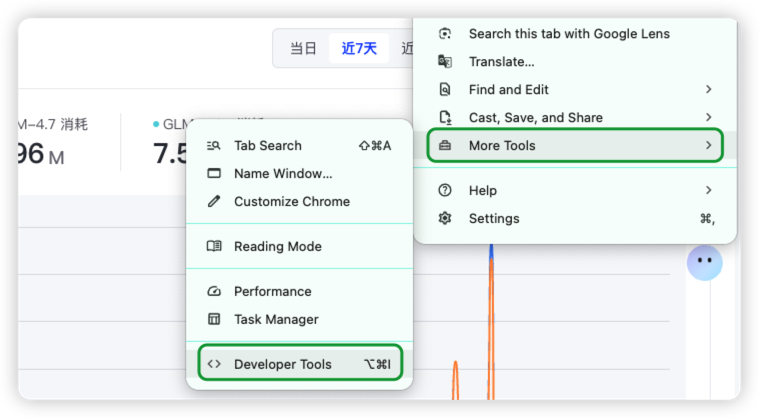
I opened the usage page in the Zhipu backend, hit F12 to bring up the browser's developer tools, switched to the Network panel, and refreshed the page.
That data on the page—"5-hour quota 12%, weekly quota 8%"—had to be coming from some API request.
Sure enough, I saw bigmodel.cn/api/monitor/usage/quota/limit, and it returned a JSON blob containing every number displayed on the page.
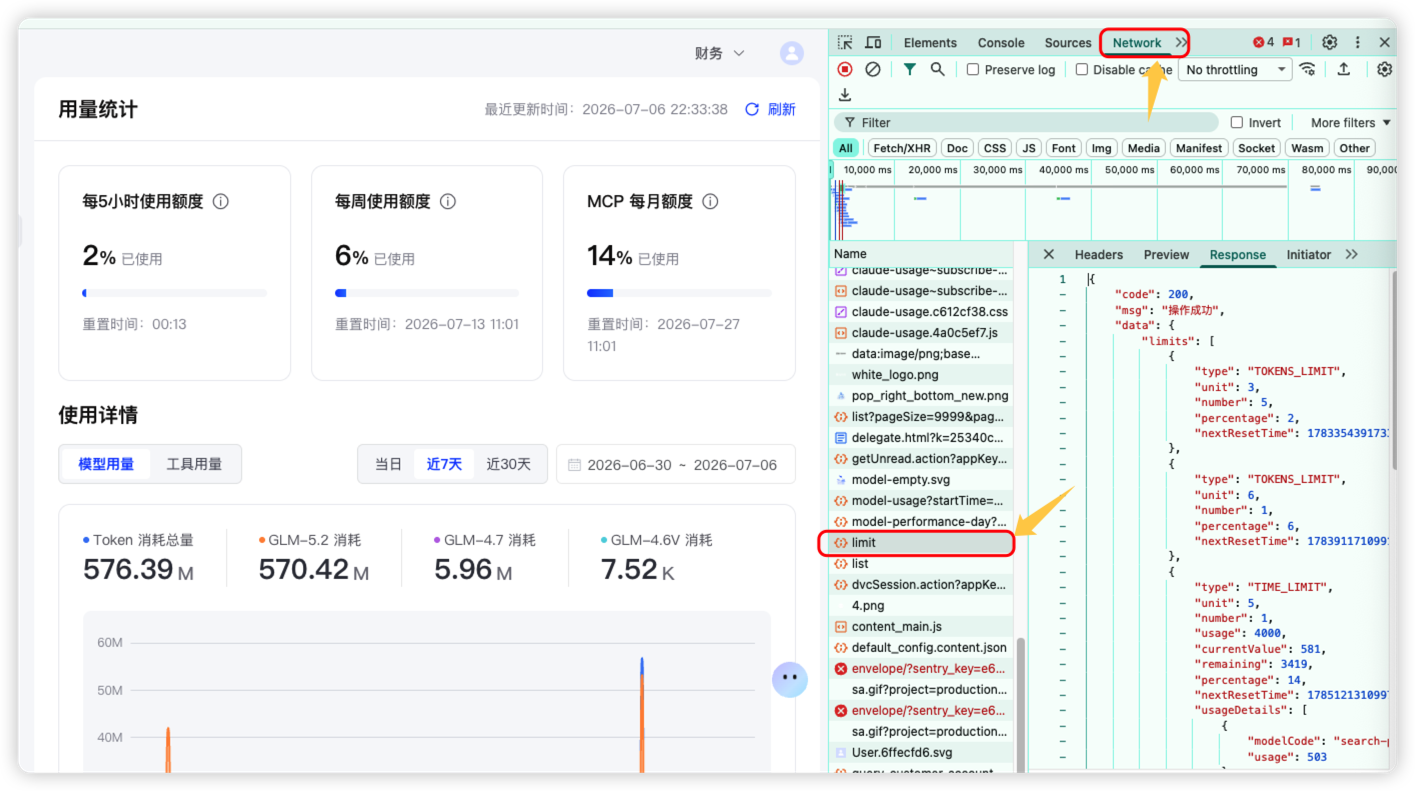
I handed the JSON, the endpoint path, and my requirements straight to Claude Code:
I need to check my remaining Zhipu Coding Plan quota every day. Here's the API endpoint from the backend usage page and its response structure. Build me a command-line tool that can query the weekly quota, the 5-hour quota, and the plan's expiration date.
And it got to work.
The first version was a Node.js script. Running node zhipu-usage.js in the terminal printed a full usage report: 5-hour quota, weekly quota, plan expiration date, call count over the last 7 days, token usage, and model breakdown.
Very thorough.
But this version had a problem—I still had to open the terminal.
Open terminal, type command, read output, close. Faster than the browser, sure, but still a deliberate "go check it" action.
What I wanted was for it to just be there. No active checking required.
Claude Code Taught Me Something Instead
I told Claude Code about this idea.
Its answer caught me off guard—it asked: "Have you heard of SwiftBar?"
No, I hadn't.
It explained that SwiftBar is an open-source menu bar extension for Mac. It can display arbitrary data in the top menu bar as long as you write a plugin script. It recommended this approach.
I had assumed that building something like this meant developing a desktop app from scratch—learning SwiftUI, building the interface, handling network requests, packaging and signing. A big project.
Instead it told me open-source tools had already paved 90% of the road—all I needed was a 10-line shell script.
That was the most delightful part of this whole thing.
If Claude Code hadn't volunteered that suggestion, I probably never would have built this—because in my mind, "making a menu bar tool" equaled "writing a Mac app," and the cost was too high.
It kept going: added a bar mode to the existing Node script that outputs the format SwiftBar recognizes, and wrote an 8-line shell wrapper that calls that bar mode.
I dropped the shell script into SwiftBar's plugin directory and named the file zhipu-bar.10m.sh per its conventions—the 10m at the end means it refreshes every 10 minutes.
Hooked it into the menu bar.
What My Menu Bar Looks Like Now
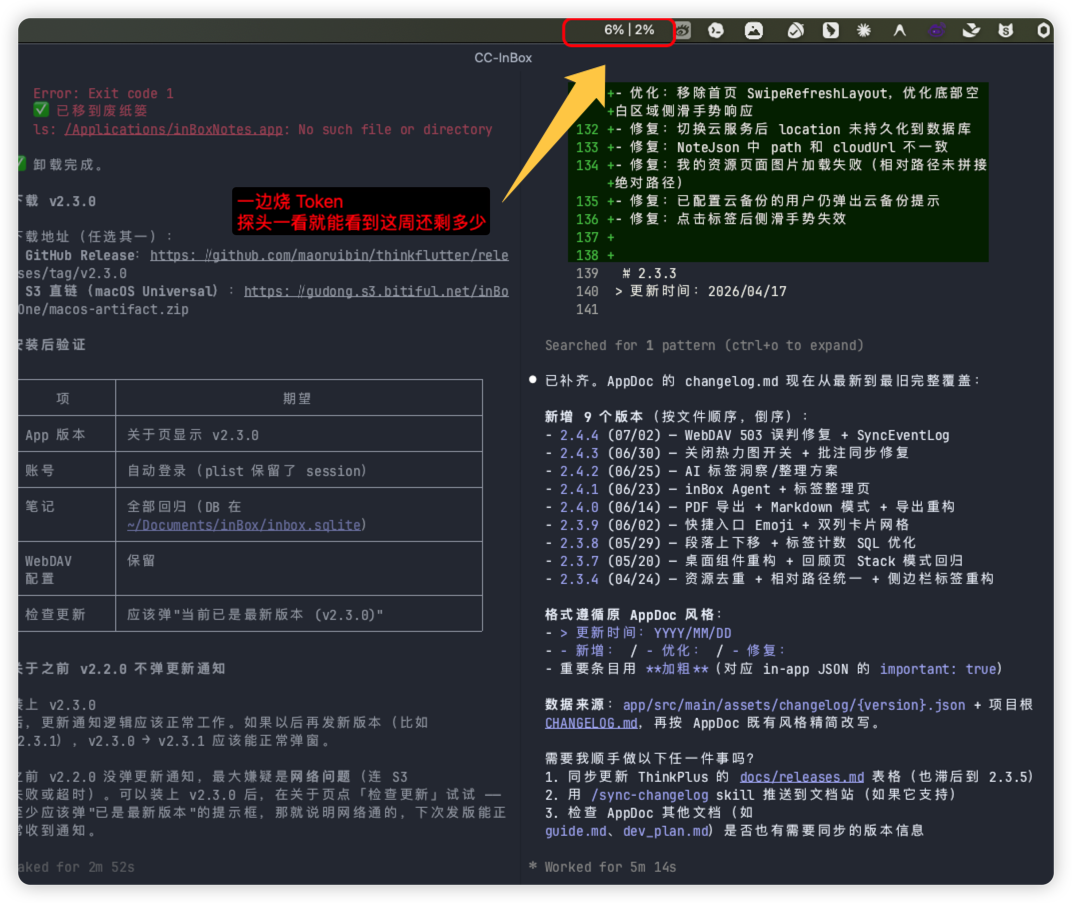
In the top-right corner of the Mac menu bar, this string is always visible:
XX% │ XX%
The first number is the weekly quota, the second is the 5-hour quota. One glance tells me whether I can go all out this week.
Click the dropdown and there's more: weekly quota reset time, 5-hour quota reset time, plan expiration date, a refresh button, and a link that jumps to the Zhipu usage page.
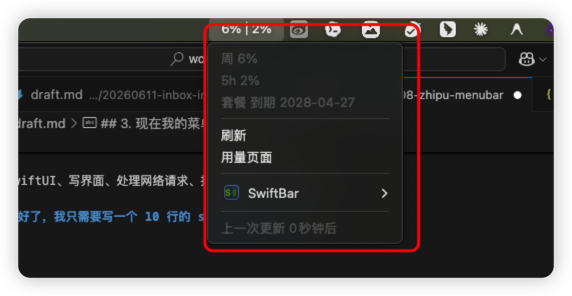
I don't have to actively check anymore. It's just always there.
If you want this for yourself: generate an API key from the Zhipu backend, put it in a .env file, and let Claude Code handle the rest.
Is Building Small Tools Actually Worth It?
This got me thinking.
I've had similar small annoyances before—a repeated action, a clunky flow, some trivial thing I do every single day.
But I never built tools for them. Why?
Because the cost of building a small tool was too high.
The traditional path to a Mac menu bar tool meant learning Swift, learning SwiftUI, digging through menu bar APIs, building the interface, handling network requests, packaging and signing. That's a week minimum.
Spend a week building a tool for a 30-second annoyance?
Not worth it. So I just lived with these little frictions.
But vibe coding has broken that trade-off.
The cost of building a small tool is now just a few minutes of talking to Claude Code.
And on top of that, Claude Code proactively tells you "you don't need to build from scratch—open-source tools already handle 90% of this." That one sentence was worth more than hours of my own research.
Which leads me to a conclusion:
What AI programming really changes isn't what can be built, but what's worth building.
The little tools that were previously out of reach are now within reach. The little frictions I used to tolerate no longer need to be tolerated.
All those "not worth building myself, but too annoying to ignore" tasks—today they're all worth doing.
I think this is the most overlooked part of how ordinary people can use AI.
There's so much repetition around us every day.
Not everything is suited to being handed over to AI entirely, but you can always start by asking: can it handle one small step of this for me?
Even if it only saves a little at first, it's worth it.
As AI develops and these tools mature, more and more small repetitive tasks will be picked up by agents.
A lot of people are still at the stage of "asking AI questions."
Chat-style AI like Doubao or DeepSeek is great for answering questions.
But if you want AI to actually save you time, you need to use agents more.
Agents don't just answer—they can write scripts, edit files, look things up, and operate tools.
Tools like Claude Code, Codex, Work Buddy, and Xiaolongxia are the ones suited to handling the small recurring hassles in our daily lives.
You don't have to start by having AI do something big.
Start with the small things you repeat every day.
Which page do you always open? Which data point do you always look up? Which process do you always click through manually?
Let an agent handle a piece of it first.
If it doesn't work the first time, iterate.
The time saved in these little spots adds up significantly.