Why this happens
XPEnology usually runs into three familiar issues:
- QuickConnect does not work, which is expected on an unofficial setup.
- Some bugs are hard to avoid because this is not dedicated Synology hardware running in its intended environment.
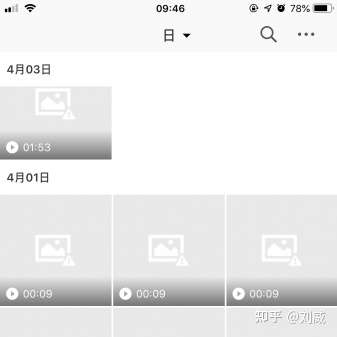
- Media features can break: Video Station, Photo Station, and Moments may fail to generate thumbnails, videos may show up as black boxes, Video Station may not transcode properly, and newer versions of Moments can also lose face recognition support.
This guide focuses on the thumbnail and transcoding problem.
What causes the issue
The common explanation is that an unofficial installation does not have a valid serial number, so Synology’s media transcoding features end up being disabled. DSM relies on a modified version of ffmpeg, and that is where the problem starts.
The easiest workaround
There are many tutorials on this topic. A lot of them use a third-party ffmpeg together with custom scripts to generate thumbnails manually.
A simpler approach is to replace the built-in ffmpeg binary with the third-party one. It is straightforward, requires very little background knowledge, and avoids extra scripting.
Step 1: install ffmpeg
Sign in to DSM in a browser, open Package Center, and change the trust level so packages from any publisher can be installed. Then add the following third-party package source:
http://packages.synocommunity.com
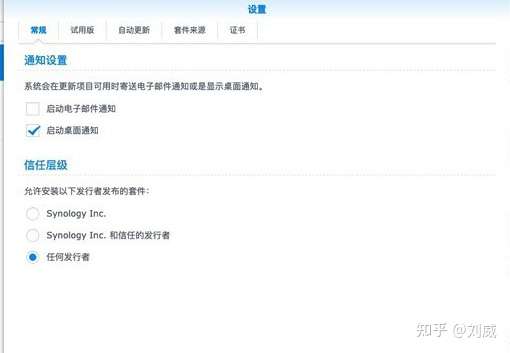
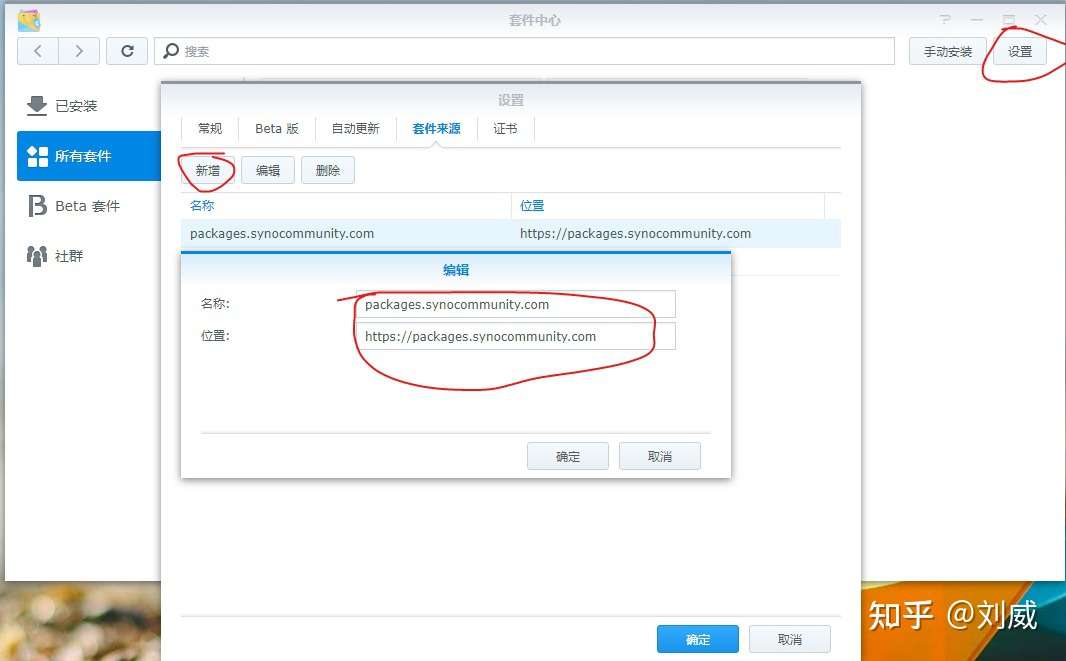
After saving the source, open the Community section in Package Center and install ffmpeg from there.
Step 2: replace Synology’s ffmpeg
The idea is simple: swap out the DSM-provided ffmpeg binary in the places used for media handling.
There are two main locations involved:
- Video transcoding
- Thumbnail generation for photos and videos
Connect over SSH and switch to root privileges.
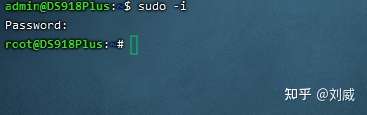
Then run these two commands:
cp /volume1/@appstore/ffmpeg/bin/ffmpeg volume1/@appstore/VideoStation/bin/
cp /volume1/@appstore/ffmpeg/bin/ffmpeg /usr/bin
代码输入优化:手动输入 /vo按tab键自动补全. 遇到/@appstore需要改成\@appstore tab补全还可以ls所有目录.之前估计遇到错误就是这个问题.没有查出来.
If your packages are installed on a different volume, replace volume1 with the correct one, such as volume2 or volume3.
After the replacement
Once the new binary is in place, a quick way to test it is to shoot a short video and let it sync or back up automatically. Then check whether DS Photo generates a thumbnail for that new video.
You can also trigger a re-index afterward. Thumbnail quality can be adjusted there as well.
A practical note
Before using this method, another workaround was to rely on a different file platform’s built-in ffmpeg, convert videos to MP4 in advance, and then upload them. That worked reasonably well for online playback and sharing.
With this replacement method, videos viewed from the phone can show proper thumbnails again inside Synology’s own apps, which is much closer to the expected experience.