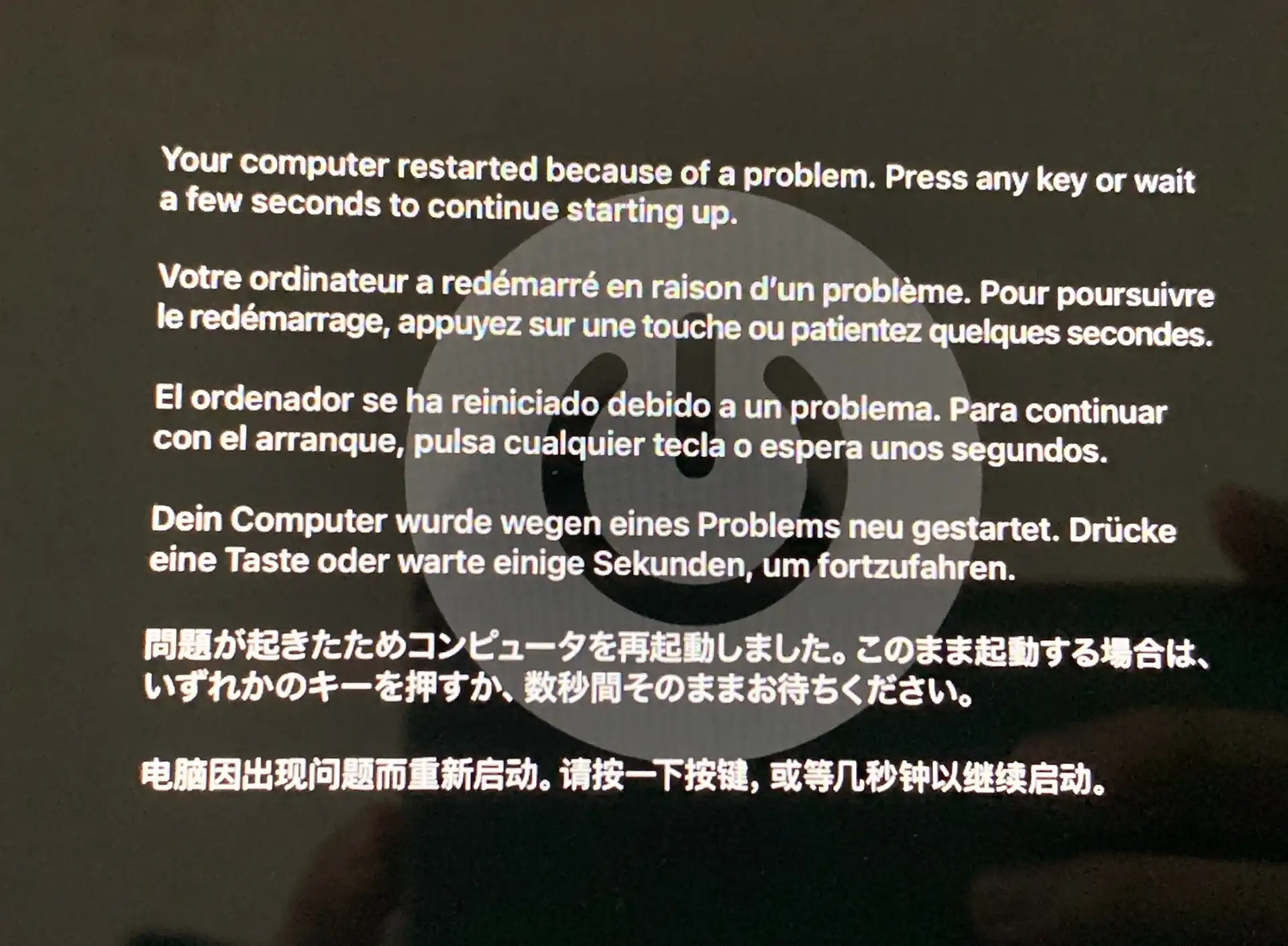
Lately, a strange issue kept happening on my Mac: I would close the lid and let the machine sleep as usual, then open it again and get the familiar restart warning:
Your computer restarted because of a problem
It was the classic multilingual Kernel Panic screen. At first glance, this kind of crash feels like failing hardware. After digging through the logs, though, the problem turned out to be much more specific: a kernel driver installed by an Android emulator.
What the issue looked like
The pattern was consistent:
- A MacBook running macOS 13 or 14
- The laptop goes to sleep when the lid is closed
- On wake, instead of returning to the desktop, it crashes and shows the black screen with white text
- The message is the standard Kernel Panic restart notice, often remembered as the old “six-language” crash screen
That was enough to rule out a random one-off failure. The next step was to inspect the panic report.
First step: locate the panic log
macOS stores Kernel Panic reports in /Library/Logs/DiagnosticReports.
In Terminal, run:
<table> <thead> <tr> <th>1 2</th>
<th>ls -lt /Library/Logs/DiagnosticReports/*panic*</th>
</tr>
</thead>
<tbody>
<tr>
<td></td>
<td></td>
</tr>
</tbody>
</table>
From there, find the newest panic file. In this case it was:
text
<table> <thead> <tr> <th>1 2</th>
<th>/Library/Logs/DiagnosticReports/Kernel-2025-08-08-142054.panic</th>
</tr>
</thead>
<tbody>
<tr>
<td></td>
<td></td>
</tr>
</tbody>
</table>
Second step: check the most important section in the log
The key part of a panic report is usually the Kernel Extensions in backtrace section. That is often where the actual trigger shows up.
Use:
<table> <thead> <tr> <th>1 2</th>
<th>grep -A30 "Kernel Extensions in backtrace" /Library/Logs/DiagnosticReports/Kernel-2025-08-08-142054.panic</th>
</tr>
</thead>
<tbody>
<tr>
<td></td>
<td></td>
</tr>
</tbody>
</table>
The result clearly included:
text
<table> <thead> <tr> <th>1 2</th>
<th>com.netease.nemu.kext.NemuDrv (15.2.99)</th>
</tr>
</thead>
<tbody>
<tr>
<td></td>
<td></td>
</tr>
</tbody>
</table>
That identifier belongs to NetEase MuMu Emulator. More specifically, it is the kernel extension driver named NemuDrv.
What likely caused the crash
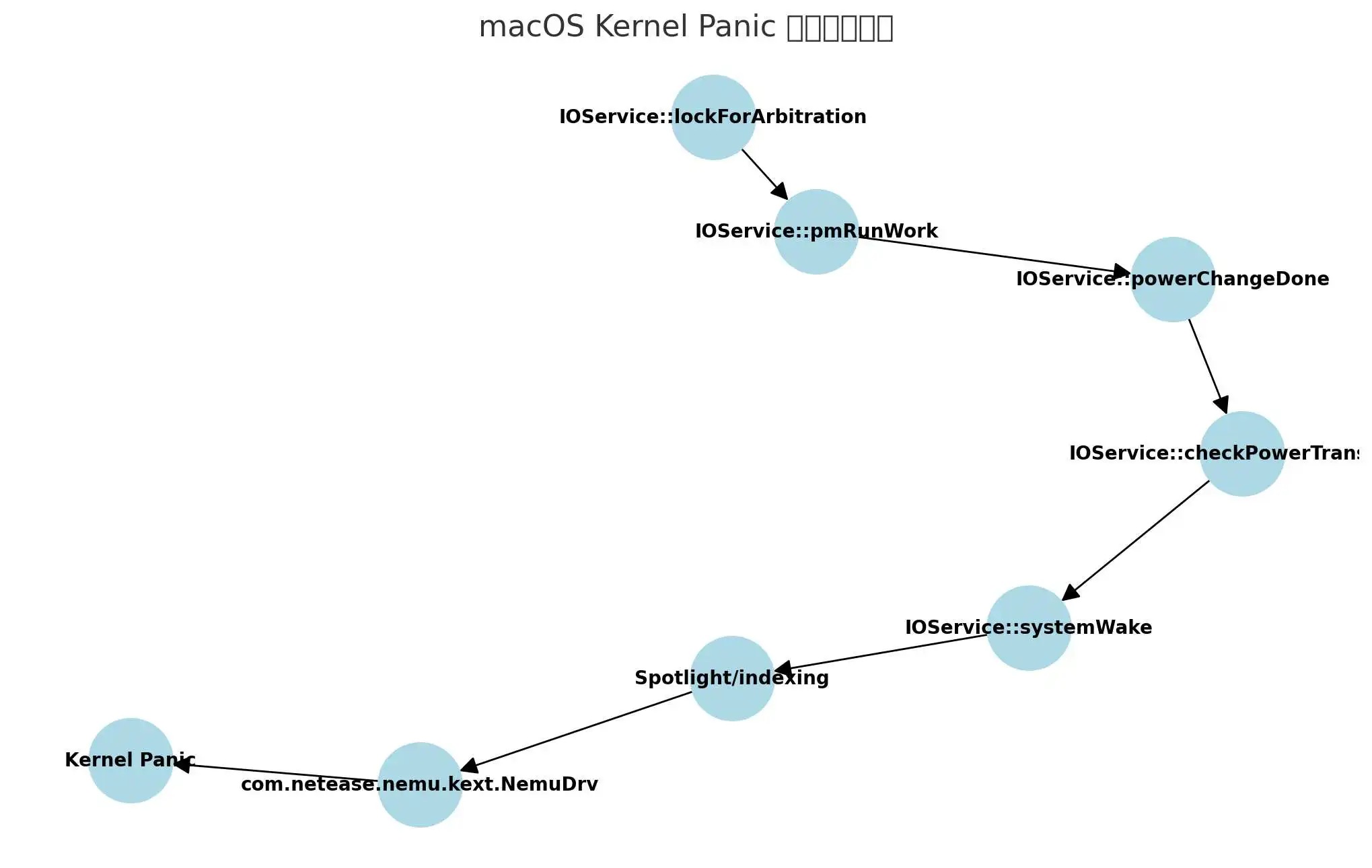
During wake, macOS runs through its power management path in the kernel. In this case, the call chain pointed to a wake-related path involving system services and the MuMu driver.
The rough sequence looked like this:
text
<table> <thead> <tr> <th>1 2 3 4 5</th>
<th>IOService::systemWake → Spotlight/indexing → com.netease.nemu.kext.NemuDrv → Kernel Panic 💥</th>
</tr>
</thead>
<tbody>
<tr>
<td></td>
<td></td>
</tr>
</tbody>
</table>
In plain terms: sleep/wake activity combined with Spotlight indexing appears to hit a bug in NemuDrv, and the result is a full Kernel Panic.
That also explains why the machine seemed fine during normal use but would crash specifically after waking from sleep.
How to fix it
The direct solution is to remove the NemuDrv kernel extension.
Method 1: completely uninstall the NemuDrv driver
- Quit all MuMu Emulator processes.
- Run the following commands in Terminal:
1 2 3 4</th>
<th>sudo rm -rf /Library/Extensions/NemuDrv.kext sudo kextcache --clear-staging sudo kextcache -i /</th>
</tr>
</thead>
<tbody>
<tr>
<td></td>
<td></td>
</tr>
</tbody>
</table>
- Restart the Mac.
- Verify that the driver is gone:
1 2</th>
<th>kextstat | grep -v com.apple</th>
</tr>
</thead>
<tbody>
<tr>
<td></td>
<td></td>
</tr>
</tbody>
</table>
If com.netease.nemu.kext.NemuDrv no longer appears in the output, the driver has been removed successfully.
Why this kind of problem is serious
A kext is a kernel extension, which means it runs at the kernel level rather than as an ordinary app component. If a driver at that level is outdated or poorly compatible with a newer macOS release, the result is not just an app crash—it can take down the whole system.
That is why these issues often become more visible after a macOS upgrade. Old third-party drivers may continue loading even when they no longer behave correctly under the newer power management or indexing behavior.
If your Mac also crashes on wake and shows the classic panic screen, the fastest place to look is the Kernel Extensions in backtrace section of the panic log. If a third-party driver shows up there, it is a strong lead—and in this case, MuMu Emulator’s NemuDrv turned out to be exactly that.