For a long time I'd been meaning to write something that pushes Halo site notifications to Bark. I even posted about the idea once. What kept me from starting was that someone had already published a plugin for pushing comments to Bark, so I just used that. After a while, a few things about it started to bother me — the kind of small annoyances that only matter to the person who has to live with them. I'd also shipped a Typecho plugin before, so the groundwork wasn't unfamiliar.
Eventually I got tired of fiddling with themes and just built the thing. It's sitting in review on the Halo app store right now; the repository is on GitHub if you want to download it and try it out. It's been working well enough for my own use.
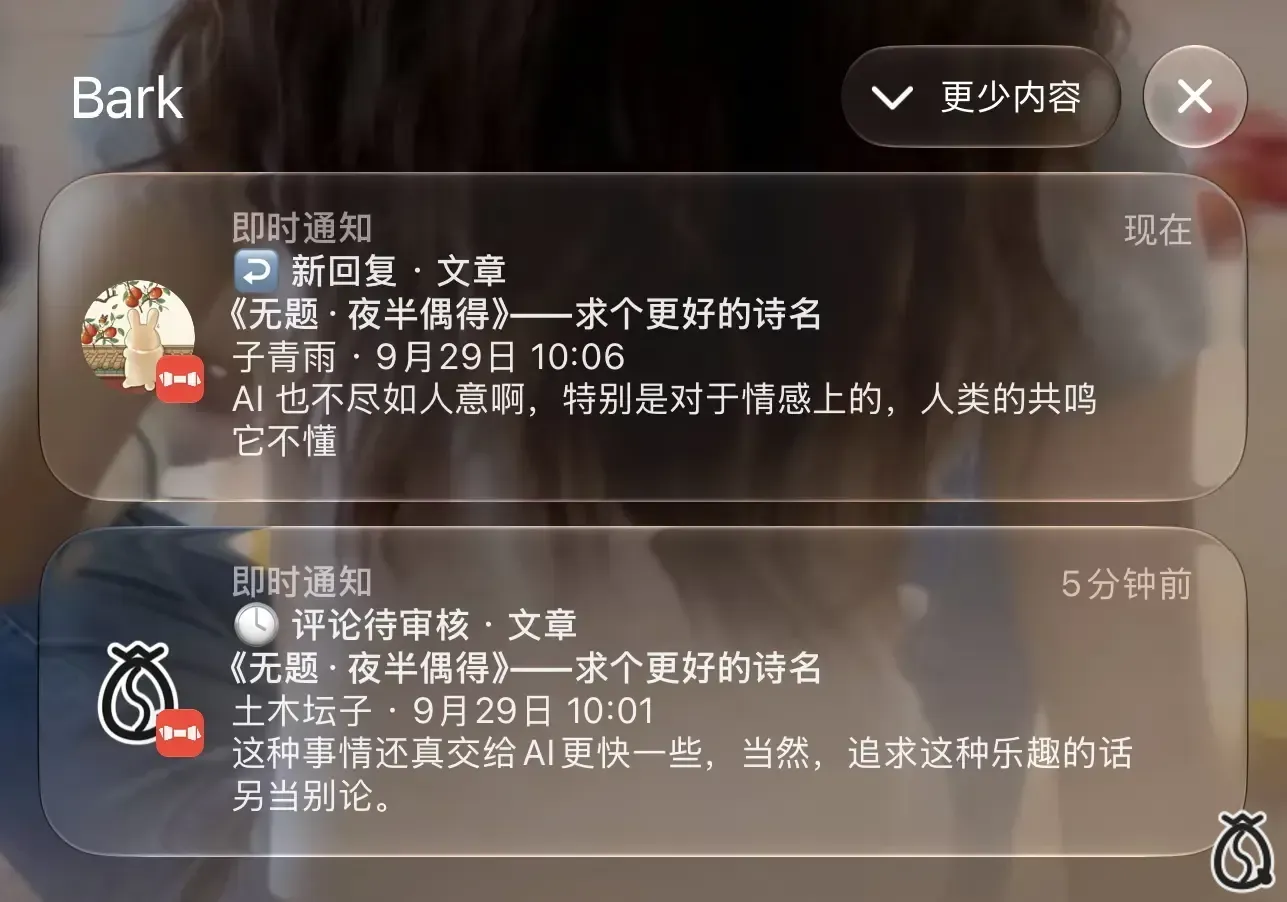
What it does
Halo2Bark pushes the events that actually matter on a Halo site to Bark in real time: new comments, new replies, and account security alerts, landing on your iPhone the moment they happen.
Features
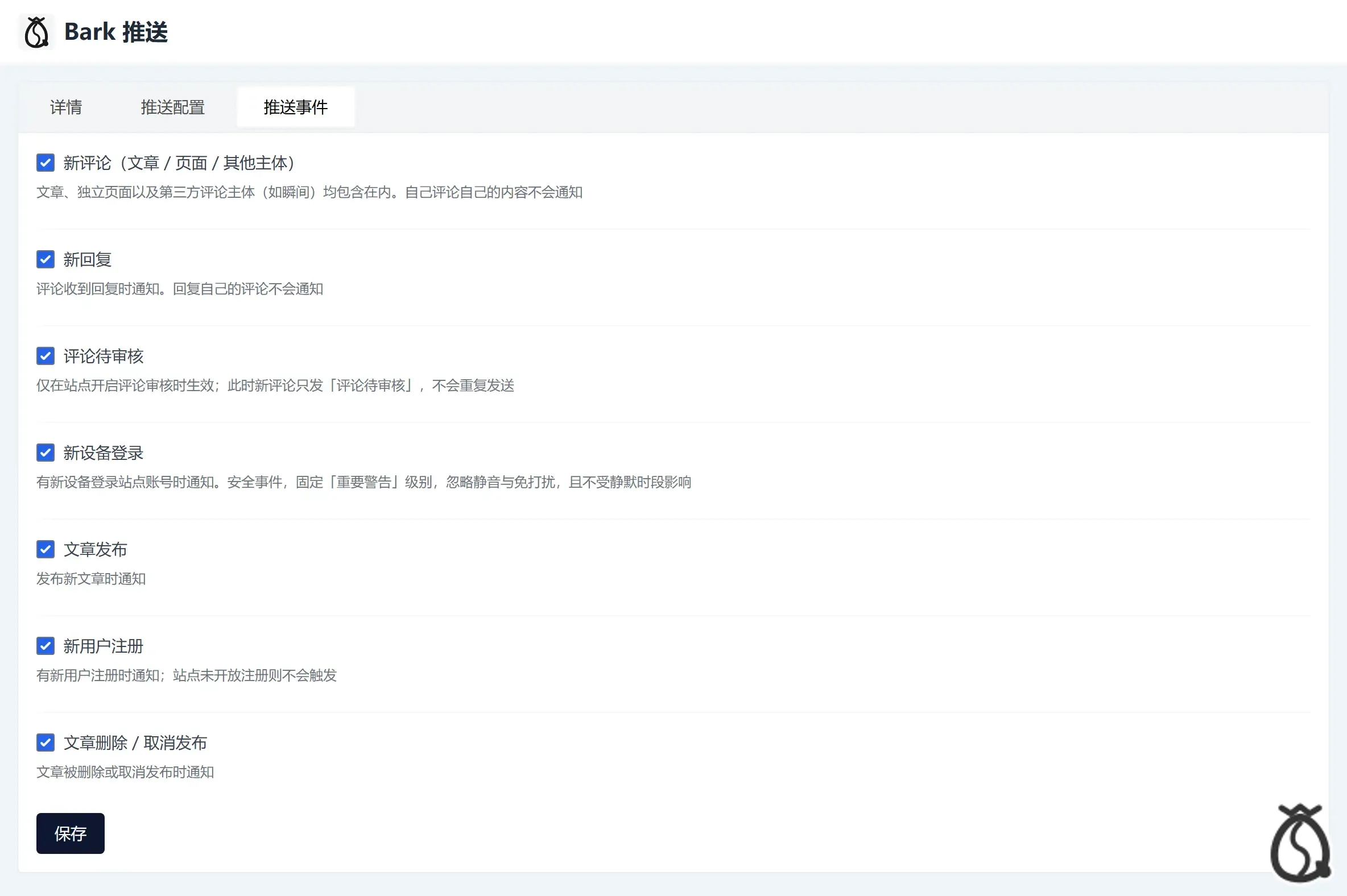
Seven event types covered
Security alerts that wake you up
A login from a new device goes out at Bark's "critical alert" level. It rings for 30 seconds and ignores both silent mode and Do Not Disturb, so an account security warning doesn't get lost in a pocket. That level is fixed: it can't be changed, doesn't take part in merging, isn't held back by quiet hours, and doesn't count against the rate limit. Those restrictions are deliberate — a security alert that someone accidentally sets to low priority is worse than no alert at all.
No notification spam
When the same type of event arrives repeatedly inside a merge window (2 minutes by default, with 1 / 2 / 5 as alternatives), the notifications collapse into a single summary. There's also a ceiling of 20 per minute; anything beyond that isn't discarded, it's held and sent as one aggregated summary once the minute is up. Quiet hours are available too, and security events pass straight through them.
Everything else
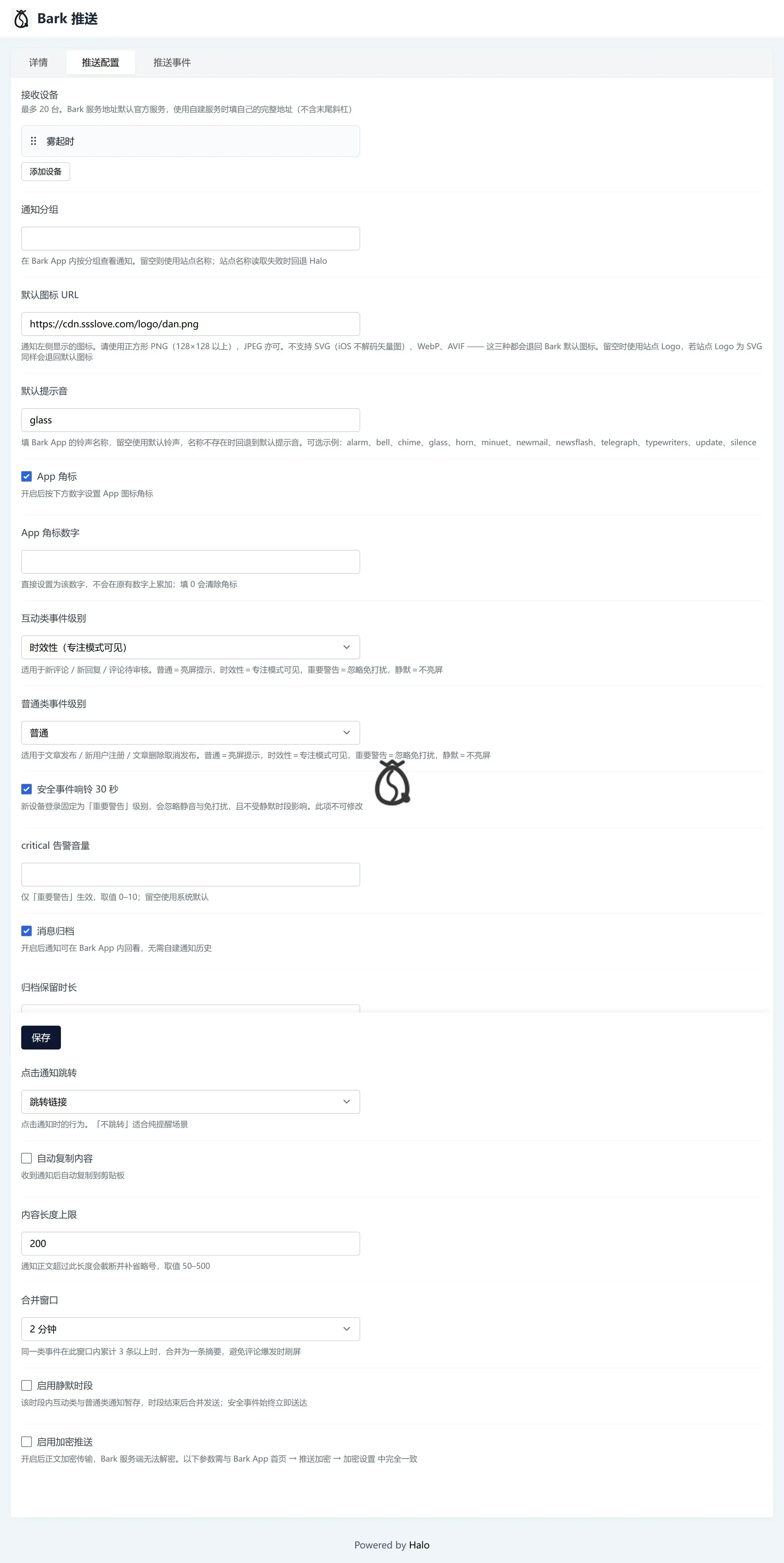
Multiple devices — up to 20. Devices sharing the same Bark server address get pushed in batch, and one failing device doesn't affect the others.
Independent server address per device — the official service and a self-hosted one can be mixed freely.
Tap to open — the target link is assembled automatically from Halo's permalink and the comment API, so changing a theme's routes won't break it, and you never have to type in your site URL by hand.
Encrypted push — the body can be encrypted so the Bark server can't read it. If the key is wrong, the test send fails outright with an error instead of quietly falling back to plaintext.
Message archive — Bark keeps notifications for 1, 7, or 30 days, or permanently, so you can look back at them. That means the plugin doesn't need to build its own notification history page.
Grouping by category — groups read "site name · Security / Interaction / General", which lets you mute a single category from the iOS Notification Center.
Zero frontend — the settings page is rendered natively by Halo; no extra frontend resources get loaded.
Installation
Download the .jar file, then go to Halo Console → Plugins → Upload install. Open the plugin settings and fill in your Bark server address and device key. Halo 2.26.0 or newer is required.
Configuration
Everything is configured on the plugin settings page, across two tabs.
Common questions
The notification icon isn't the one I want.
Bark only accepts PNG and JPEG icons. SVG, WebP, and AVIF won't display at all and fall back to Bark's default. The plugin uses your site logo by default, so an SVG logo triggers the same fallback. To customize it, upload a square PNG at 128×128 or larger.
I turned on encryption and now nothing arrives.
The key has to match what's in the Bark app (Home → Push Encryption → Encryption Settings) exactly — algorithm, mode, padding, and key. When something is off, the plugin's built-in test send reports an error rather than silently reverting to plaintext, so tap "Test" on the device first to verify.
Some settings disappear after I save them.
Certain sub-items — alert volume, badge number, archive retention, clipboard content, quiet hours, encryption parameters — only appear after their parent toggle is switched on. That's normal Halo form behavior; the values aren't being thrown away.
Which Halo versions are supported?
2.26.0 and above.
The code lives on GitHub — grab the jar and see how it behaves on your own site.