Real-time behavior is often a baseline expectation rather than a premium feature. Trading screens, games, operations dashboards, and device monitors all depend on fresh data arriving without a page refresh. WebSocket is a good fit for that kind of two-way communication. The example below builds a live data dashboard with Flask-SocketIO, room-based subscriptions, and a Socket.IO client, then looks at the practical issues that appear once such a dashboard leaves a demo environment.
Where WebSocket fits
- Real-time monitoring, such as operations dashboards and device-status screens.
- Online collaboration, such as multi-user document editing.
- Real-time chat and instant messaging.
- Real-time notifications, such as price-change alerts in e-commerce.
The dashboard scenario
The goal is a dashboard that receives fresh values over WebSocket and updates the interface as data arrives. It needs to support separate subscriptions for different data rooms, such as sales data and visitor data; let multiple clients receive server pushes; and keep the interface responsive while values change.
The stack is intentionally small:
- Front end: HTML, CSS, and JavaScript with the Socket.IO client.
- Back end: Flask and Flask-SocketIO for the WebSocket service.
- Data source: Python's
randommodule simulates live values.
Backend
from flask import Flask, render_template, request
from flask_socketio import SocketIO, emit, join_room, leave_room
import random
import time
from threading import Thread

app = Flask(__name__)
app.config['SECRET_KEY'] = 'secret!'
socketio = SocketIO(app)

# Store room subscriptions for clients
client_rooms = {}

# Store data generator threads
data_threads = {}

def generate_sales_data(room):
    """Generate sales-related data"""
    while room in data_threads and data_threads[room]['active']:
        data = {
            'sales': random.randint(1000, 5000),
            'orders': random.randint(50, 200),
            'timestamp': time.strftime('%H:%M:%S')
        }
        socketio.emit('update_data', data, room=room)
        time.sleep(2)

def generate_visitor_data(room):
    """Generate visitor-related data"""
    while room in data_threads and data_threads[room]['active']:
        data = {
            'visitors': random.randint(100, 1000),
            'active_users': random.randint(50, 300),
            'timestamp': time.strftime('%H:%M:%S')
        }
        socketio.emit('update_data', data, room=room)
        time.sleep(3)

@app.route('/')
def index():
    return render_template('index.html')

@socketio.on('join')
def on_join(data):
    """Handle a client joining a room"""
    room = data.get('room')
    if not room:
        return

    # Get client ID
    client_id = request.sid

    # Add the client to the room
    join_room(room)
    client_rooms[client_id] = room
    print(f'Client {client_id} joined room: {room}')

    # Create a data generator thread if the room does not have one yet
    if room not in data_threads:
        data_threads[room] = {
            'active': True,
            'thread': Thread(
                target=generate_sales_data if room == 'sales' else generate_visitor_data,
                args=(room,),
                daemon=True
            )
        }
        data_threads[room]['thread'].start()

@socketio.on('leave')
def on_leave(data):
    """Handle a client leaving a room"""
    room = data.get('room')
    if not room:
        return

    client_id = request.sid
    leave_room(room)
    if client_id in client_rooms:
        del client_rooms[client_id]
    print(f'Client {client_id} left room: {room}')

@socketio.on('connect')
def handle_connect():
    print(f'Client connected: {request.sid}')

@socketio.on('disconnect')
def handle_disconnect():
    client_id = request.sid
    if client_id in client_rooms:
        room = client_rooms[client_id]
        leave_room(room)
        del client_rooms[client_id]

        # Check whether the room still has other clients
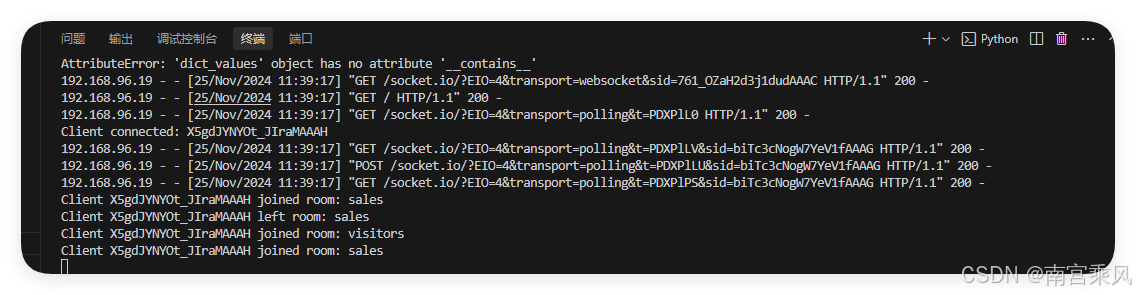
        if not client_rooms.values().__contains__(room):
            # If not, stop the data generator
            if room in data_threads:
                data_threads[room]['active'] = False
                data_threads[room]['thread'].join(timeout=1)
                del data_threads[room]

    print(f'Client disconnected: {client_id}')

if __name__ == '__main__':
    socketio.run(app, debug=True, host='0.0.0.0', port=5000)
The backend does three main jobs:
- Data generation and push:
generate_sales_dataandgenerate_visitor_datacreate random values and emit them on a timer. Sales data is sent every two seconds; visitor data every three seconds. - Room management:
join_roomandleave_roomkeep each client subscribed to the room it requested. Aclient_roomsdictionary records the current room for each client ID. - Thread lifecycle: a room gets a generator thread when the first client joins. When the last client disconnects, the thread is stopped and removed from
data_threads.
Frontend
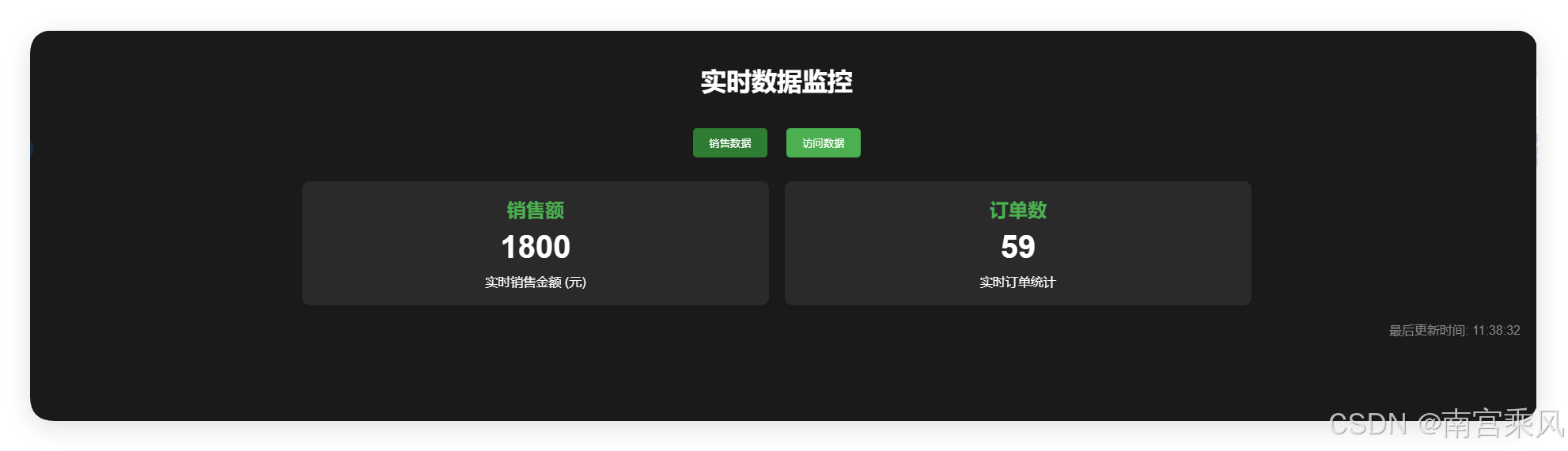
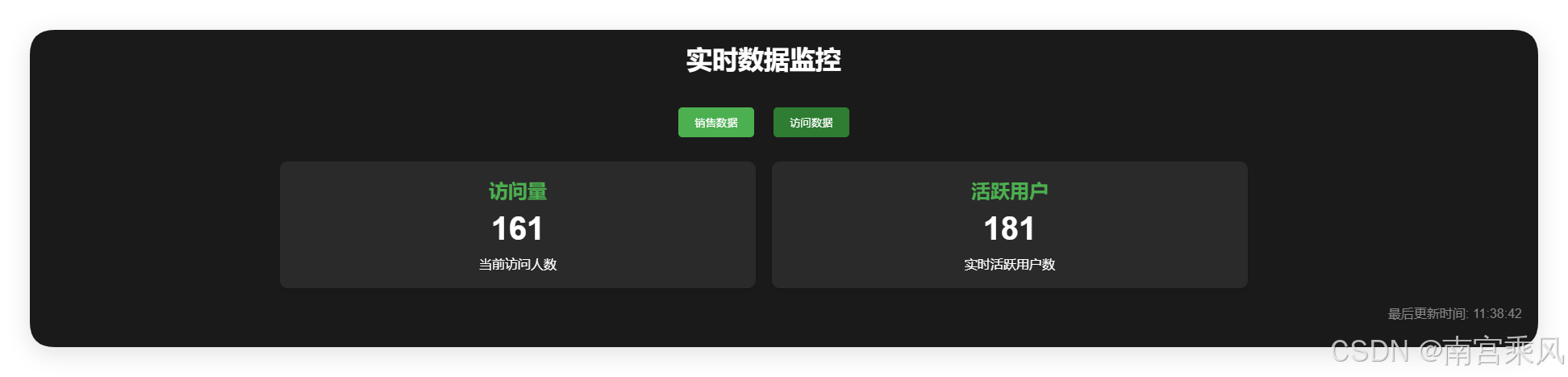
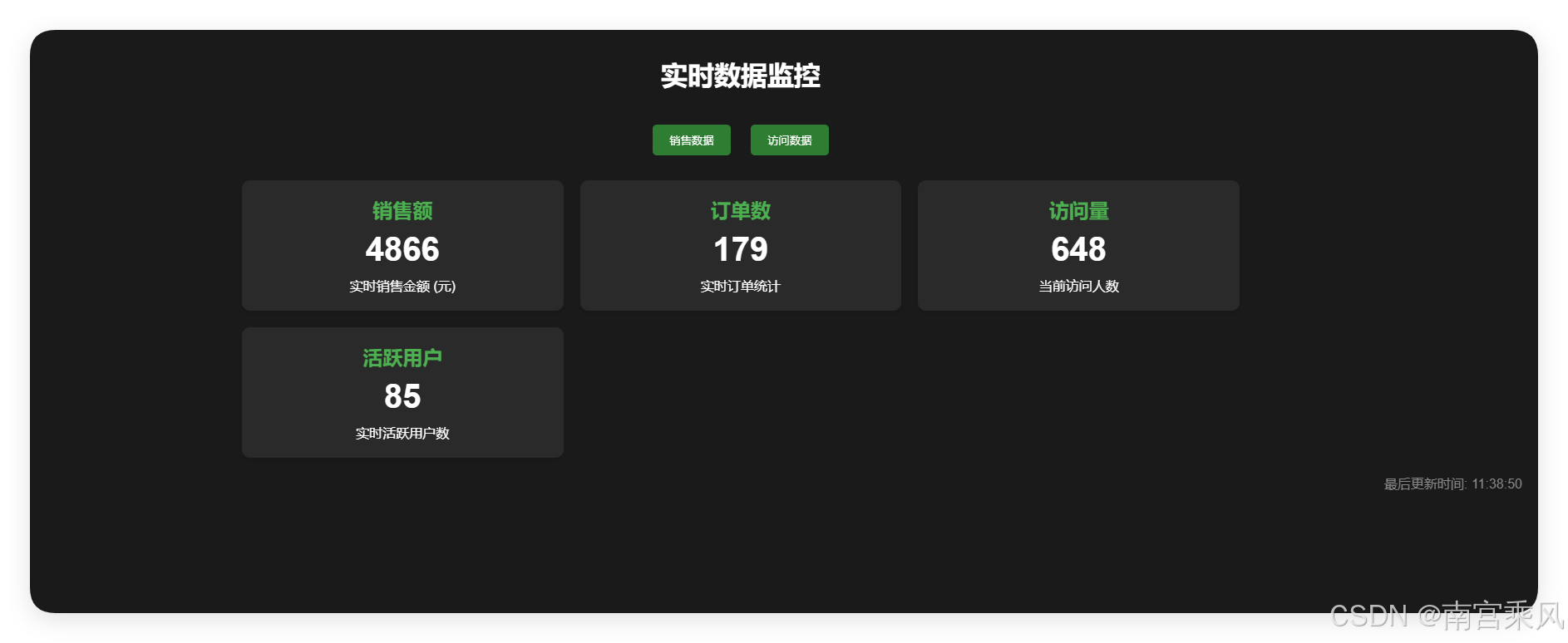
The page is a dark dashboard with two room buttons and four value cards. The buttons toggle sales data and visitor data. Cards stay hidden until their room is active.
<!DOCTYPE html>
<html lang="zh">
<head>
    <meta charset="UTF-8">
    <meta name="viewport" content="width=device-width, initial-scale=1.0">
    <title>实时数据大屏</title>
    <script src="https://cdnjs.cloudflare.com/ajax/libs/socket.io/4.0.1/socket.io.js"></script>
    <style>
        body {
            margin: 0;
            padding: 20px;
            background-color: #1a1a1a;
            color: #fff;
            font-family: Arial, sans-serif;
        }

        .controls {
            text-align: center;
            margin-bottom: 30px;
        }

        .btn {
            background-color: #4CAF50;
            border: none;
            color: white;
            padding: 10px 20px;
            margin: 0 10px;
            border-radius: 5px;
            cursor: pointer;
            transition: background-color 0.3s;
        }

        .btn:hover {
            background-color: #45a049;
        }

        .btn.active {
            background-color: #2E7D32;
        }

        .dashboard {
            display: grid;
            grid-template-columns: repeat(auto-fit, minmax(300px, 1fr));
            gap: 20px;
            max-width: 1200px;
            margin: 0 auto;
        }

        .card {
            background-color: #2a2a2a;
            border-radius: 10px;
            padding: 20px;
            text-align: center;
            box-shadow: 0 4px 6px rgba(0, 0, 0, 0.1);
        }

        .card h2 {
            margin: 0 0 10px 0;
            color: #4CAF50;
        }

        .value {
            font-size: 2.5em;
            font-weight: bold;
            margin: 10px 0;
        }

        .timestamp {
            text-align: right;
            color: #888;
            margin-top: 20px;
        }

        @keyframes pulse {
            0% { transform: scale(1); }
            50% { transform: scale(1.05); }
            100% { transform: scale(1); }
        }

        .update {
            animation: pulse 0.5s ease-in-out;
        }
    </style>
</head>
<body>
    <h1 style="text-align: center; margin-bottom: 40px;">实时数据监控</h1>

    <div class="controls">
        <button class="btn" onclick="toggleRoom('sales')" id="salesBtn">销售数据</button>
        <button class="btn" onclick="toggleRoom('visitors')" id="visitorsBtn">访问数据</button>
    </div>

    <div class="dashboard">
        <!-- Sales data cards -->
        <div class="card" id="salesCard" style="display: none;">
            <h2>销售额</h2>
            <div id="sales" class="value">0</div>
            <div>实时销售金额 (元)</div>
        </div>
        <div class="card" id="ordersCard" style="display: none;">
            <h2>订单数</h2>
            <div id="orders" class="value">0</div>
            <div>实时订单统计</div>
        </div>

        <!-- Visitor data cards -->
        <div class="card" id="visitorsCard" style="display: none;">
            <h2>访问量</h2>
            <div id="visitors" class="value">0</div>
            <div>当前访问人数</div>
        </div>
        <div class="card" id="activeUsersCard" style="display: none;">
            <h2>活跃用户</h2>
            <div id="active_users" class="value">0</div>
            <div>实时活跃用户数</div>
        </div>
    </div>

    <div class="timestamp" id="timestamp">最后更新时间: --:--:--</div>

    <script>
        const socket = io();
        let currentRooms = new Set();

        // Update a value on the page
        function updateValue(elementId, value) {
            const element = document.getElementById(elementId);
            if (element) {
                element.textContent = value;
                element.classList.remove('update');
                void element.offsetWidth; // Force reflow
                element.classList.add('update');
            }
        }

        // Toggle a room subscription
        function toggleRoom(room) {
            const btn = document.getElementById(room + 'Btn');

            if (currentRooms.has(room)) {
                // Leave the room
                socket.emit('leave', { room: room });
                currentRooms.delete(room);
                btn.classList.remove('active');

                // Hide the related cards
                if (room === 'sales') {
                    document.getElementById('salesCard').style.display = 'none';
                    document.getElementById('ordersCard').style.display = 'none';
                } else {
                    document.getElementById('visitorsCard').style.display = 'none';
                    document.getElementById('activeUsersCard').style.display = 'none';
                }
            } else {
                // Join the room
                socket.emit('join', { room: room });
                currentRooms.add(room);
                btn.classList.add('active');

                // Show the related cards
                if (room === 'sales') {
                    document.getElementById('salesCard').style.display = 'block';
                    document.getElementById('ordersCard').style.display = 'block';
                } else {
                    document.getElementById('visitorsCard').style.display = 'block';
                    document.getElementById('activeUsersCard').style.display = 'block';
                }
            }
        }

        // Listen for data updates
        socket.on('update_data', function(data) {
            // Update every value received
            Object.keys(data).forEach(key => {
                if (key !== 'timestamp') {
                    updateValue(key, data[key]);
                }
            });
            document.getElementById('timestamp').textContent = '最后更新时间: ' + data.timestamp;
        });

        // Join the sales room automatically when the connection opens
        socket.on('connect', function() {
            toggleRoom('sales');
        });
    </script>
</body>
</html>
The client-side logic is built around the Socket.IO client:
- Connect:
io()opens the connection. - Toggle rooms:
toggleRoomemitsjoinorleave, updates the button state, and shows or hides the related cards. - Update values: the
update_datalistener writes incoming values into the matching elements and refreshes the timestamp. TheupdateCSS class triggers a short pulse animation, with a forced reflow so repeated updates animate again. - Initial subscription: when the connection opens, the client joins the sales room automatically.
Advanced practices
The room pattern scales beyond two data types. Each room can represent a data type, a user group, or another subscription boundary. join_room and leave_room make the routing explicit, so the server can push only to clients that asked for that stream.
For larger payloads, compression can reduce bandwidth. Options include compressing packets with gzip or brotli, or handling decompression on the front end.
A WebSocket connection can drop when the network changes. A heartbeat and reconnect strategy helps detect stale connections and restore them automatically. Sending periodic heartbeats also gives the client a way to notice when the link is no longer healthy.
Security deserves attention in production. Serve WebSocket traffic over HTTPS, authenticate clients when the connection is established, and control which rooms and data types each role can access.
The same foundation can be extended in other directions. WebRTC can add real-time audio and video, while WebGL can support live 3D data visualization.