Deploying Traefik 2.2 on Kubernetes 1.18.3
The examples below continue from an existing Traefik setup and focus on three practical capabilities in Traefik 2: middleware, canary-style traffic splitting, and request mirroring.
Deploy the whoami application and Service
Start with a simple test application:
apiVersion: v1
kind: Service
metadata:
  name: whoami
spec:
  ports:
    - protocol: TCP
      name: web
      port: 80
  selector:
    app: whoami
---
kind: Deployment
apiVersion: apps/v1
metadata:
  name: whoami
  labels:
    app: whoami
spec:
  replicas: 2
  selector:
    matchLabels:
      app: whoami
  template:
    metadata:
      labels:
        app: whoami
    spec:
      containers:
        - name: whoami
          image: containous/whoami
          ports:
            - name: web
              containerPort: 80
Create an IngressRoute
Expose the application through Traefik with an HTTP route:
apiVersion: traefik.containo.us/v1alpha1
kind: IngressRoute
metadata:
  name: simpleingressroute
spec:
  entryPoints:
    - web
  routes:
    - match: Host(`who.heian.com`) && PathPrefix(`/notls`)
      kind: Rule
      services:
        - name: whoami
          port: 80
Image
Add an HTTPS route
First generate a certificate and create a Kubernetes TLS secret:
[root@k8s-master1 who]# openssl req -x509 -nodes -days 365 -newkey rsa:2048 -keyout tls.key -out tls.crt -subj "/CN=who.heian.com"
Generating a 2048 bit RSA private key
..........................................................................+++
..........+++
writing new private key to 'tls.key'
-----
[root@k8s-master1 who]# kubectl create secret tls who-tls --cert=tls.crt --key=tls.key
secret/who-tls created
Then define an IngressRoute for HTTPS access:
apiVersion: traefik.containo.us/v1alpha1
kind: IngressRoute
metadata:
  name: ingressroutetls
spec:
  entryPoints:
    - websecure
  routes:
    - match: Host(`who.heian.com`) && PathPrefix(`/tls`)
      kind: Rule
      services:
        - name: whoami
          port: 80
  tls:
    secretName: who-tls
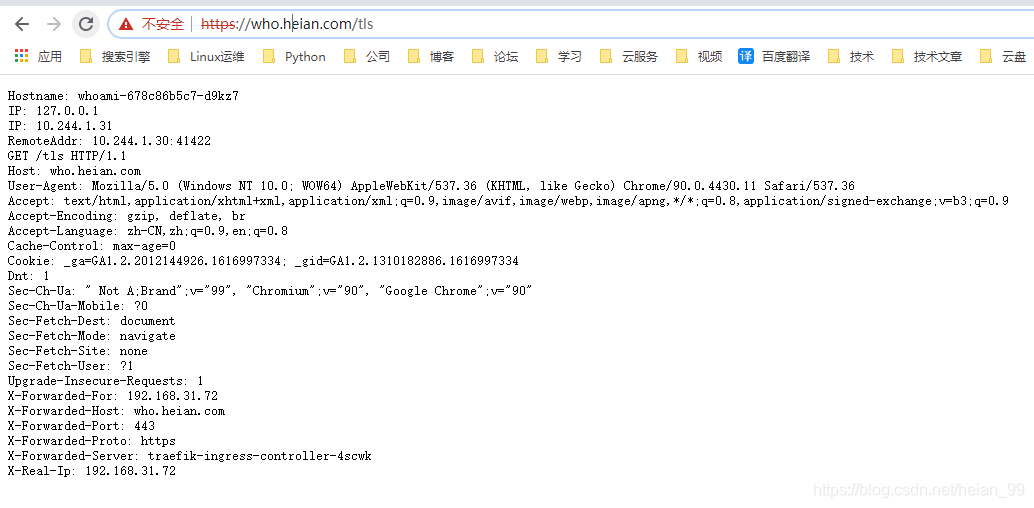
Working with middleware
Middleware is one of the most distinctive parts of Traefik 2. It lets you adapt request handling to different scenarios without changing the application itself. Traefik includes many built-in middleware types: some rewrite requests or headers, some perform redirects, some add authentication, and multiple middleware can be chained together when needed.
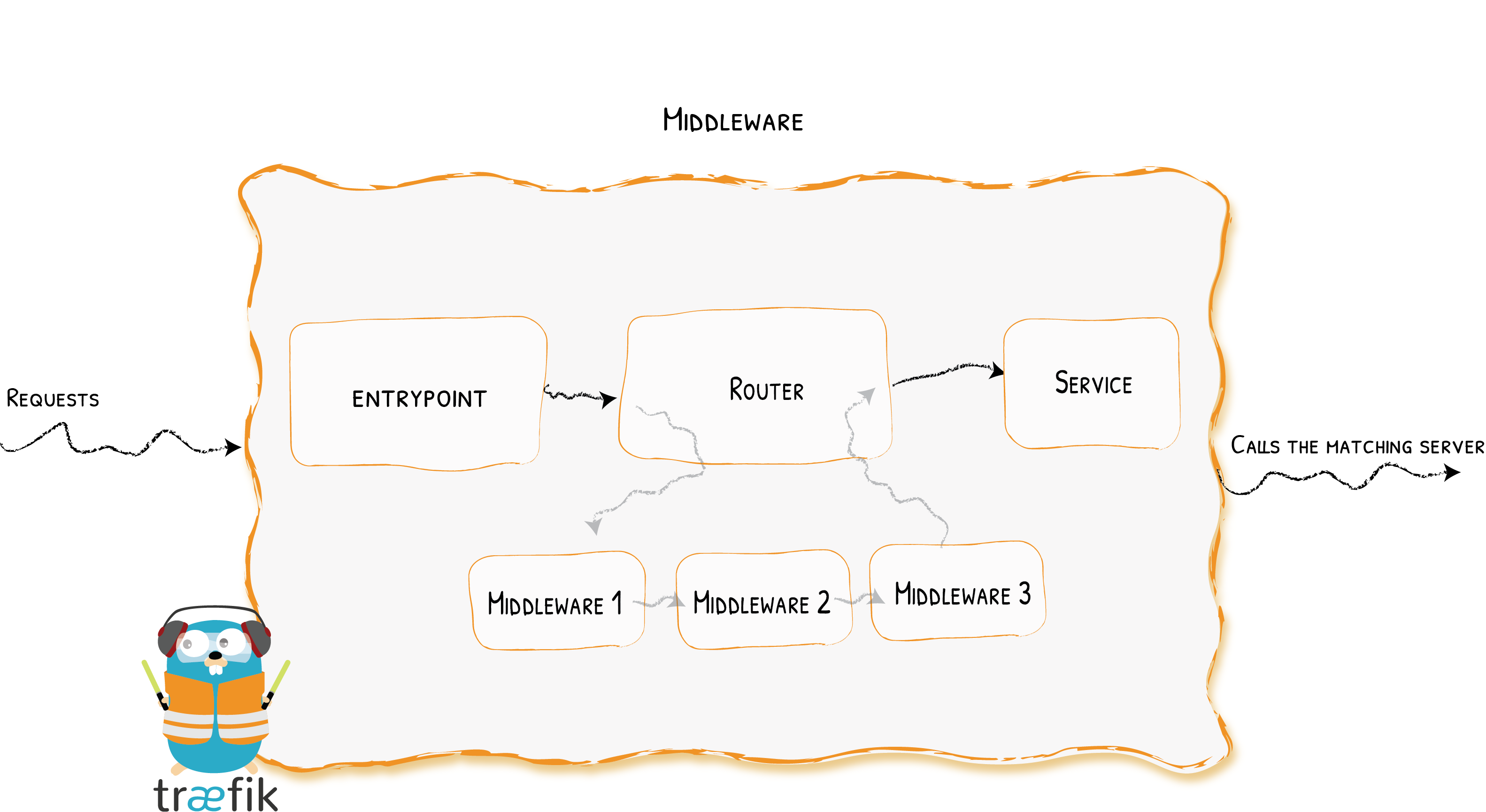
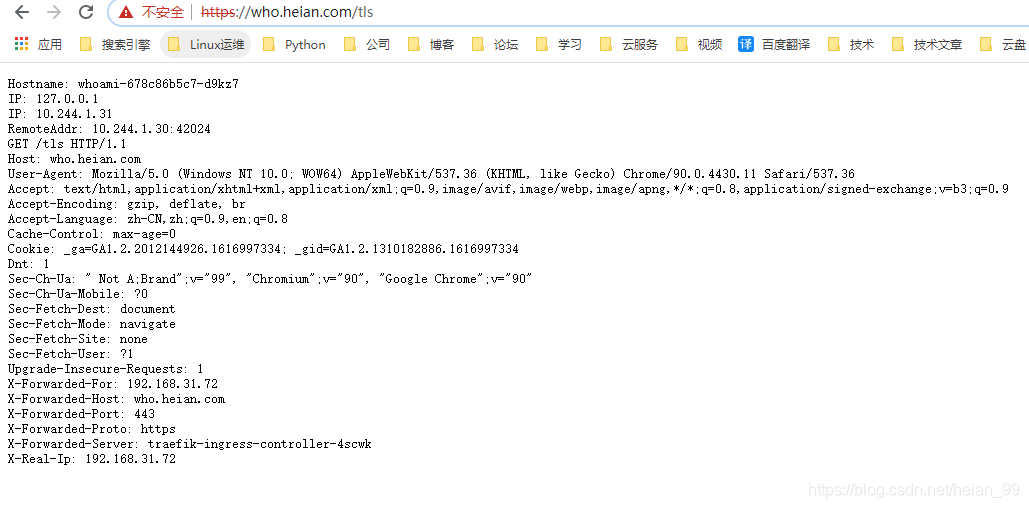
Take the whoami example above. If the app is available at https://who.heian.com/tls, accessing the same path with plain HTTP will return 404, because no route has been bound to the web entry point for that path.
To make HTTP work, add another IngressRoute that listens on web:
apiVersion: traefik.containo.us/v1alpha1
kind: IngressRoute
metadata:
  name: ingressroutetls-http
spec:
  entryPoints:
    - web
  routes:
    - match: Host(`who.heian.com`) && PathPrefix(`/tls`)
      kind: Rule
      services:
        - name: whoami
          port: 80
Once this object is created, the application can be reached over HTTP as well.
But if the goal is to allow users to use only HTTPS, the usual solution is to force HTTP requests to redirect to HTTPS. Traefik handles that through middleware. Here a redirectScheme middleware is used to enforce the redirect:
apiVersion: traefik.containo.us/v1alpha1
kind: Middleware
metadata:
  name: redirect-https
spec:
  redirectScheme:
    scheme: https
Attach that middleware to the HTTP route only; the HTTPS route does not need it:
apiVersion: traefik.containo.us/v1alpha1
kind: IngressRoute
metadata:
  name: ingressroutetls-http
spec:
  entryPoints:
    - web
  routes:
    - match: Host(`who.heian.com`) && PathPrefix(`/tls`)
      kind: Rule
      services:
        - name: whoami
          port: 80
      middlewares:
        - name: redirect-https
After that, visiting the HTTP endpoint will automatically redirect to HTTPS.

Canary-style traffic splitting with weighted round robin
A more powerful feature in Traefik 2 is canary deployment, also called gray release in some environments. The idea is to let a new or test version receive only part of production traffic so it can be observed before full rollout.
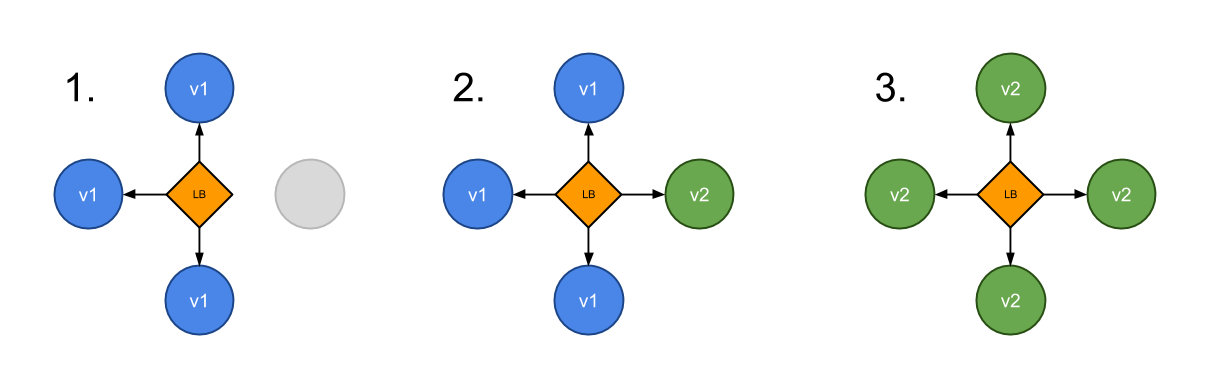
Assume there are two services, appv1 and appv2, and traffic should be distributed so that three quarters goes to appv1 and one quarter goes to appv2. In Traefik 2, this can be implemented with weighted round robin, or WRR.
Deploy the two backend services first.
For easier testing, the two images used here are different versions of the same application: heian99/myapp:v1 and heian99/myapp:v2.
Resource definition for appv1 (appv1.yaml):
apiVersion: apps/v1
kind: Deployment
metadata:
  name: appv1
spec:
  selector:
    matchLabels:
      app: appv1
  template:
    metadata:
      labels:
        use: test
        app: appv1
    spec:
      containers:
        - name: myappv1
          image: heian99/myapp:v1
          ports:
            - containerPort: 80
              name: portv1
---
apiVersion: v1
kind: Service
metadata:
  name: appv1
spec:
  selector:
    app: appv1
  ports:
    - name: http
      port: 80
      targetPort: portv1
Resource definition for appv2 (appv2.yaml):
apiVersion: apps/v1
kind: Deployment
metadata:
  name: appv2
spec:
  selector:
    matchLabels:
      app: appv2
  template:
    metadata:
      labels:
        use: test
        app: appv2
    spec:
      containers:
        - name: myappv2
          image: heian99/myapp:v2
          ports:
            - containerPort: 80
              name: portv2
---
apiVersion: v1
kind: Service
metadata:
  name: appv2
spec:
  selector:
    app: appv2
  ports:
    - name: http
      port: 80
      targetPort: portv2
Create both resources directly:
[root@k8s-master1 test]# kubectl apply -f .
deployment.apps/appv1 created
service/appv1 created
deployment.apps/appv2 created
service/appv2 created
[root@k8s-master1 test]# kubectl get pods -l use=test
NAME                     READY   STATUS    RESTARTS   AGE
appv1-597bbc966f-chwpj   1/1     Running   0          69s
appv2-5f5489b4c5-7gsnd   1/1     Running   0          69s
Starting with Traefik 2.1, a TraefikService CRD can be used directly for WRR. Earlier versions required the File Provider, which was more cumbersome. Define a weighted service like this (wrr.yaml):
apiVersion: traefik.containo.us/v1alpha1
kind: TraefikService
metadata:
  name: app-wrr
spec:
  weighted:
    services:
      - name: appv1
        weight: 3   # 定义权重
        port: 80
        kind: Service  # 可选,默认就是 Service
      - name: appv2
        weight: 1
        port: 80
Then create an IngressRoute for the canary entry point (ingressroute.yaml):
apiVersion: traefik.containo.us/v1alpha1
kind: IngressRoute
metadata:
  name: wrringressroute
  namespace: default
spec:
  entryPoints:
    - web
  routes:
    - match: Host(`app.heian.com`)
      kind: Rule
      services:
        - name: app-wrr
          kind: TraefikService
One important detail here is that the route no longer points straight to a Kubernetes Service. Instead, it points to the TraefikService object defined above.
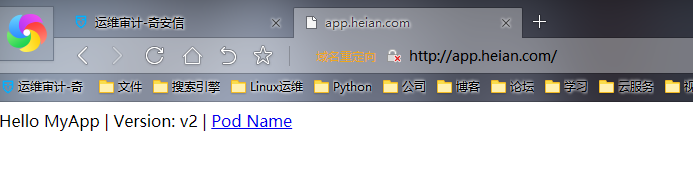
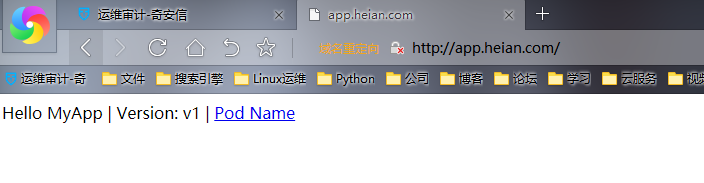
After applying both resources and resolving app.heian.com, repeated browser requests should reflect the configured 3:1 weighting: appv1 receives three requests for every one request handled by appv2.
Traffic mirroring
Besides canary release, Traefik 2 also supports mirrored traffic. This makes it possible to copy incoming requests and send them to another service at the same time. The mirrored service receives a defined percentage of requests, but its responses are ignored.
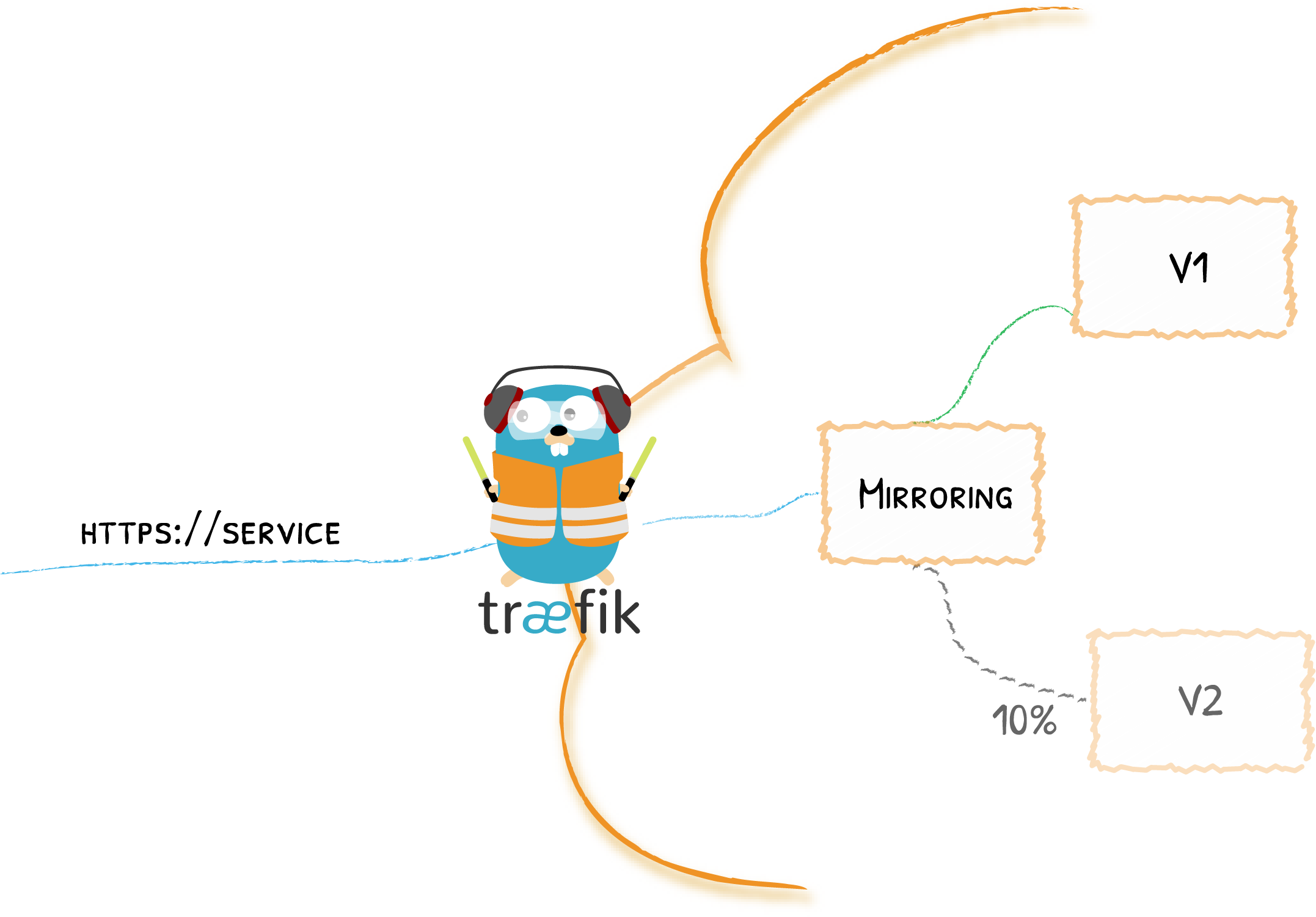
As with WRR, Traefik 2.0 required File Provider configuration for this, but from version 2.1 onward it can be configured through TraefikService.
Here, two services named v1 and v2 are deployed with the following manifests:
apiVersion: v1
kind: Service
metadata:
  name: v1
spec:
  ports:
    - protocol: TCP
      name: web
      port: 80
  selector:
    app: v1
---
kind: Deployment
apiVersion: apps/v1
metadata:
  name: v1
  labels:
    app: v1
spec:
  selector:
    matchLabels:
      app: v1
  template:
    metadata:
      labels:
        app: v1
    spec:
      containers:
        - name: v1
          image: heian99/myapp:v1
          ports:
            - name: web
              containerPort: 80
---
apiVersion: v1
kind: Service
metadata:
  name: v2
spec:
  ports:
    - protocol: TCP
      name: web
      port: 80
  selector:
    app: v2
---
kind: Deployment
apiVersion: apps/v1
metadata:
  name: v2
  labels:
    app: v2
spec:
  selector:
    matchLabels:
      app: v2
  template:
    metadata:
      labels:
        app: v2
    spec:
      containers:
        - name: v2
          image: heian99/myapp:v2
          ports:
            - name: web
              containerPort: 80
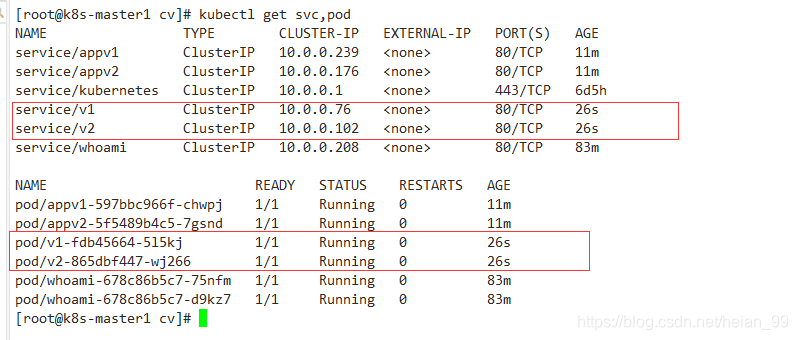
Now define a TraefikService and IngressRoute so that 100% of requests go to v1, while 50% of them are mirrored to v2 (mirror-ingress-route.yaml):
apiVersion: traefik.containo.us/v1alpha1
kind: TraefikService
metadata:
  name: app-mirror
spec:
  mirroring:
    name: v1          # 发送 100% 的请求到 K8S 的 Service "v1"
    port: 80
    mirrors:
    - name: v2        # 然后复制 50% 的请求到 v2
      percent: 50
      port: 80
---
apiVersion: traefik.containo.us/v1alpha1
kind: IngressRoute
metadata:
  name: mirror-ingress-route
  namespace: default
spec:
  entryPoints:
    - web
  routes:
    - match: Host(`mirror.heian.com`)
      kind: Rule
      services:
        - name: app-mirror
          kind: TraefikService  # 使用声明的 TraefikService 服务,而不是 K8S 的 Service
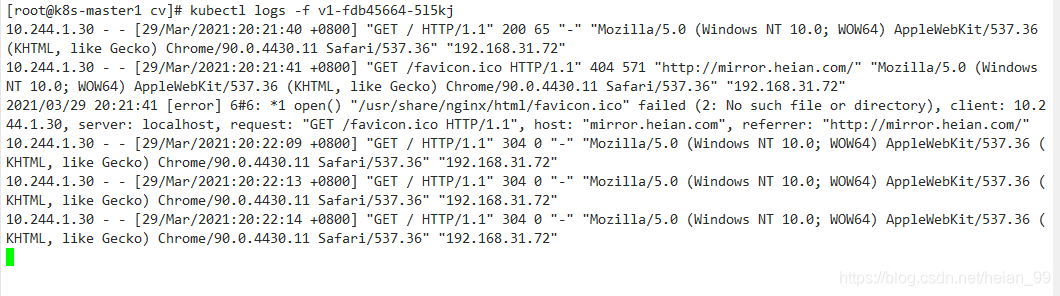
After this is applied, repeated visits to mirror.heian.com will still be served by v1, but about half of those requests will also appear on v2 as mirrored traffic.